Before buying a used console, check the controller for drift or sticky buttons, inspect the ports and vents for damage, confirm the internal storage still works and hasn’t been swapped for something unreliable, and make sure the seller includes cables, a power brick, and any account details you’ll need. A console that looks fine can still have a failing drive or worn controller sticks.
§01Why does buying used even make sense for a console?
Consoles depreciate quickly once a newer model or generation arrives, so a used unit from a seller who has moved on can be a genuine bargain compared to buying new. The risk is that hardware, unlike a shrink-wrapped game, has already had a full life of dust, heat cycles, and heavy use before it reaches you.
That’s not a reason to avoid used consoles. It’s a reason to check the things that actually fail, rather than just trusting that it “turns on fine.” A console that boots up in a shop is not the same as a console that will still boot up in six months. For a broader sense of what determines lifespan in the first place, our piece on how long a game console actually lasts before it fails is worth reading alongside this one.
§02What should you physically inspect on the console itself?
Look at the vents, the disc tray (if it has one), and the exterior for dust buildup, cracks, or signs it’s been dropped. Heavy dust or a console that runs hot and loud is a warning sign of a unit nearing the end of its comfortable working life.
- Vents: A thick, dark buildup of dust suggests the console has never been cleaned and may already be running hotter than it should.
- Disc tray or slot: Open and close it if possible. Grinding noises or a tray that doesn’t fully eject are bad signs.
- Case integrity: Cracked plastic, missing screws, or mismatched panel colors can suggest the unit has been opened and repaired informally.
- Smell: A faint burnt-electronics smell is a reason to walk away, not haggle.
If you’re unsure what “too hot” or “too loud” actually looks like in practice, our explainer on what actually happens when a console overheats covers the visible warning signs, and our piece on why consoles get quieter and cooler later in their life cycle explains why an older, well-maintained unit can actually run better than a newer one that’s been neglected.
§03How do you test the controller before buying?
Move both analog sticks in full circles and check that a character or cursor moves smoothly without drifting on its own when you let go. Press every face button and trigger repeatedly, listening for stickiness or a mushy, delayed response.
Stick drift is one of the most common used-controller problems, and it isn’t always obvious in a quick test. Ask to leave the controller untouched on a menu screen for a minute and watch whether the cursor or camera creeps by itself. If the seller can’t demonstrate this, treat the controller as a likely replacement cost rather than a bonus. Our guide to what controller drift is and why it happens goes into the mechanical cause, and how game controllers actually track inputs explains why worn components misbehave in the first place.
Also check the shoulder buttons and triggers for the same stickiness, and press every direction on the d-pad. A controller that’s been dropped often shows uneven button travel on one side.
§04What should you check on the ports and cables?
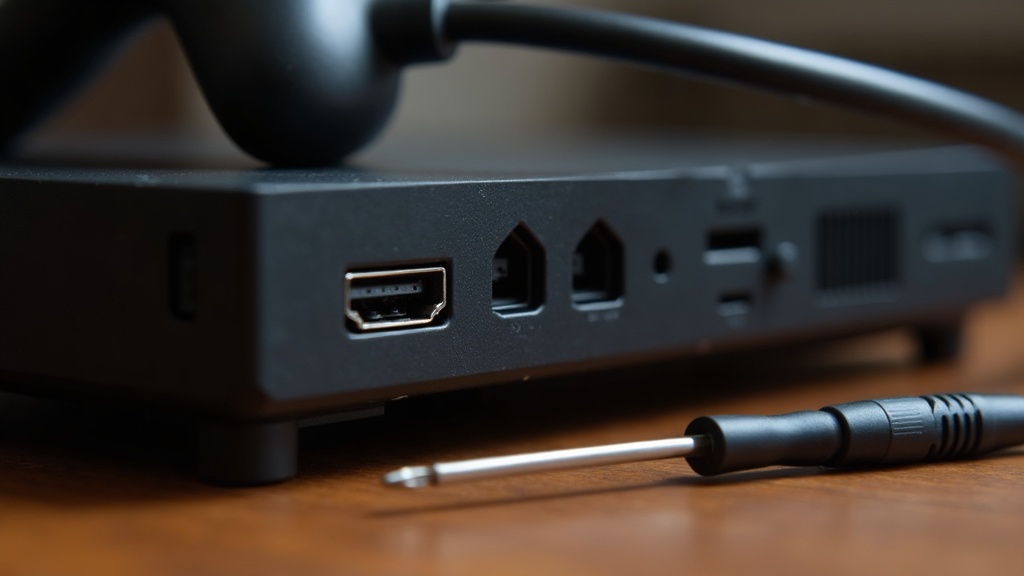
Inspect the HDMI port, power connector, and any USB ports for bent pins, looseness, or corrosion. A wobbly HDMI port is one of the most common used-console faults and can cause a flickering or blank picture that’s easy to blame on the wrong thing.
Ask the seller to power the console on with a TV or monitor connected, rather than just taking their word that “it works.” Watch for:
- A picture that flickers or cuts out when the cable is nudged
- Ports that feel loose compared to a new console’s firm connection
- Missing or generic third-party cables and power bricks that may not be original
If the console supports it and you have a compatible display, it’s worth confirming basic video output rather than assuming standards will just work. Our explainer on what HDMI 2.1 is and whether it matters for gaming and our piece on whether you need a 4K TV for a modern console both help set expectations for what the hardware should actually be capable of, so you’re not troubleshooting a fault that’s really just a mismatched setup.
§05How do you check the internal storage and drive?
Check how much free space is actually available versus what the console’s original specification would suggest, and try loading a game to see if it behaves normally. A drive that’s been swapped for something unreliable, or one that’s failing, often shows up as long stalls, freezing, or corrupted save data.
If the console allows it, look at the system storage settings rather than trusting a sticker or the seller’s description. Some older or heavily used consoles have had their internal drive replaced at some point, which isn’t automatically a problem, but it’s worth knowing about upfront rather than discovering it later.
Our guide on how much console storage you actually need is a useful reference point once you know what’s inside, and what an SSD actually changes about game loading explains why a slow, stuttering load screen on a console that’s supposed to be fast can be a red flag rather than normal behavior.
§06What accessories and extras should be included?
At minimum, expect the console, one working controller, a power cable, and a video cable appropriate to that console’s generation. Anything less should lower the price, since replacing missing accessories with official parts adds to the real cost of the purchase.
- Original power brick or adapter (third-party replacements are a smaller concern but worth knowing about)
- At least one controller that has passed the stick and button test above
- Any dock, stand, or camera that originally shipped with that console model
- Manuals or original packaging, which don’t affect function but can matter for collectors
If you’re deciding between wireless and wired replacement controllers down the line, our comparison on which peripherals are actually worth going wireless can help with that follow-up purchase.
§07Should you worry about the console’s account or software history?
Ask whether the seller has signed out of their account and removed any personal profiles or saved data. A console that still shows someone else’s account can create login conflicts, and in some cases restrict features tied to that account until it’s properly reset.
It’s reasonable to ask the seller to perform a factory reset before handover, or to walk through the settings menu together to confirm accounts have been removed. This protects both parties and avoids awkward disputes over ownership of digital licenses later.
This is also a good moment to think about whether you’ll want a subscription service on the console once it’s set up, since some used consoles come with expired or partially used subscription periods that won’t transfer. Our piece on whether game subscription services are actually good value is a useful next read once the hardware itself checks out.
§08How do you decide if the price is actually fair?
Compare the asking price against a current listing for a similar condition, generation, and included accessories, not against what the console cost brand new years ago. Age, model revision, and completeness matter more than the original launch price.
A console from a later production run of the same generation has often had design tweaks that improve reliability or reduce noise and heat compared to an early unit, so it’s worth asking, if possible, what revision you’re looking at. Our comparison of buying a console at launch versus waiting for the revision explains why this can matter even years after release, and console generation versus console refresh clarifies the difference if a listing’s terminology is unclear.
If the deal feels too good, it’s worth asking why. A steep discount paired with vague answers about controller condition, drive health, or account status is a signal to slow down, not speed up.
§09What if you’re considering a handheld instead of a home console?
The same checks apply, with extra attention to the screen and hinge if it folds, plus battery health, which degrades with age and use regardless of how well the unit was cared for otherwise. A handheld that’s been used daily for years will often show more wear than a home console kept on a shelf.
Ask how the battery holds up on a full charge if the seller can demonstrate it, and check the screen for dead pixels or scratches under bright light. Our comparison of handheld versus home console today covers other tradeoffs worth weighing before you commit either way.
Whichever category you land on, the fundamentals are the same: test the controls, check the ports, confirm the storage works, and make sure what’s included matches what’s promised. For more on evaluating hardware purchases generally, our buying advice hub and consoles and hardware hub both collect related guides worth browsing before you hand over any money.