When a console overheats, it doesn’t melt or catch fire — it protects itself. The chip slows down to generate less heat, the fan spins louder to compensate, and if things get bad enough, the system freezes or shuts off entirely. Repeated overheating over months or years is what actually causes long-term damage.
§01What is actually generating the heat inside a console?
The heat comes from the processor doing work, not from the console “trying too hard” in some vague sense. The CPU and GPU are packed onto a single chip in most modern consoles, and every calculation they perform draws electricity that gets converted partly into heat.
The more demanding the game — more objects on screen, higher detail, ray tracing effects — the harder that chip works and the more heat it produces per second. A menu screen barely warms the chip. An intensive open-world game pushes it much closer to its limit.
That heat has to go somewhere. Consoles use a metal heatsink pressed against the chip, a layer of thermal paste or pads to help heat transfer, and one or more fans to pull the warmed air out through vents. When any part of that chain is compromised — dust, dried-out paste, a blocked vent — the chip runs hotter than it should for the same amount of work.
§02What happens the moment a console gets too hot?
The console doesn’t wait for damage to occur. Built-in temperature sensors trigger automatic responses well before anything is harmed — first slowing performance, then increasing fan speed, and finally shutting the system down if temperatures keep climbing.
This usually happens in stages:
- Throttling: the chip reduces its clock speed to generate less heat, which can cause stutter or a temporary dip in smoothness during gameplay.
- Fan escalation: the cooling fan spins faster and louder to try to pull more heat away, which is why a struggling console often gets noticeably noisier before anything else goes wrong.
- Warning or shutdown: if temperatures keep rising despite throttling and increased airflow, the console displays a warning message or powers itself off to prevent damage to internal components.
None of these responses are a malfunction — they’re the safety system doing exactly what it’s designed to do. A console that shuts off when it gets hot is behaving correctly, even though it feels alarming in the moment.
§03Can overheating actually damage a console permanently?
Yes, but usually through accumulated wear rather than a single dramatic failure. Repeated heat cycling stresses solder joints and can dry out thermal paste over time, which gradually makes cooling less effective and shortens the console’s usable life.
The clearest long-term risks include:
- Thermal paste degradation: the paste between the chip and heatsink dries out over years of heat cycles, becoming less effective at transferring heat even in a console that’s otherwise fine.
- Solder fatigue: repeated expansion and contraction from heating and cooling can weaken the tiny solder connections on the circuit board, occasionally leading to intermittent faults.
- Fan wear: a fan that’s constantly running at high speed to fight excess heat wears out faster than one that rarely has to work hard.
- Dust accumulation: heat and airflow pull dust into the case, which then insulates components and makes future overheating more likely — a cycle that gets worse the longer it’s ignored.
A console that overheats occasionally and shuts down safely is not being damaged much by that single event. A console that runs hot constantly, for hours at a time, over years, is the one that eventually develops real hardware problems. This is one of the reasons a console’s reliability tends to change across its lifespan — something covered in more detail in our piece on how long a game console actually lasts before it fails.
§04Why do consoles run hotter later at night or after long sessions?
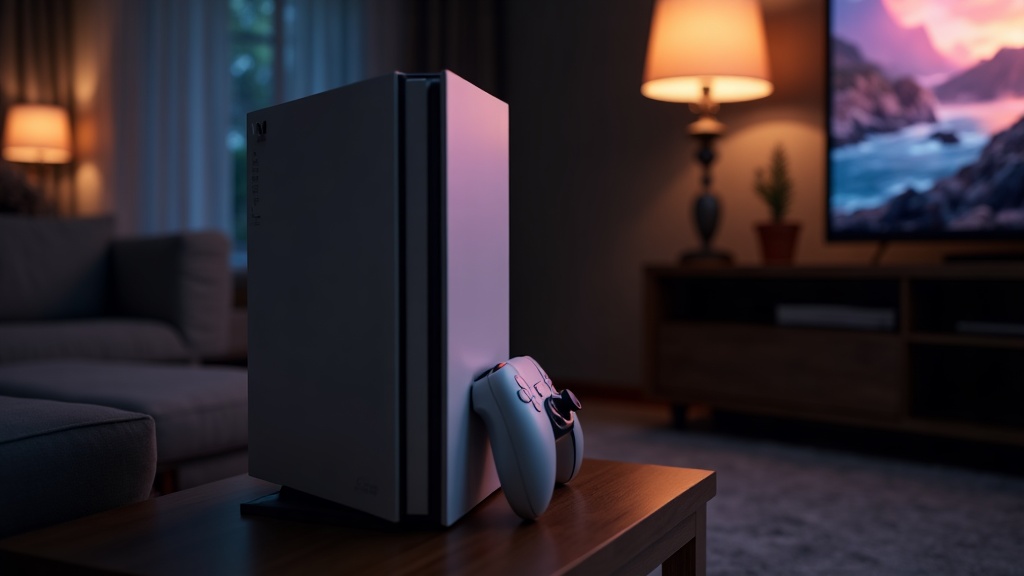
Heat builds up gradually, so the longer a console runs continuously, the closer its internal temperature gets to its ceiling — especially in a warm room or an enclosed cabinet with poor airflow. Ambient room temperature matters more than most players expect.
A console that sits inside a closed media cabinet, pressed against a back wall, or surrounded by other warm electronics has far less room to exhaust hot air than one with open space around its vents. Room temperature adds to the problem too: a console working just fine in a cool room can run noticeably hotter in the same house during summer, or in a room without air conditioning.
Long uninterrupted play sessions also give heat more time to accumulate before the fan and airflow can catch up, particularly if the console has been due for a clean for a while.
§05Why do older consoles seem to run cooler and quieter than when they were new?
Manufacturers often revise a console’s internal design after launch, sometimes shrinking the chip manufacturing process so it produces less heat for the same performance. That’s a real engineering change, not just a myth players repeat.
This is closely tied to how consoles evolve after release — a topic explored more fully in why consoles get quieter and cooler later in their life cycle. It’s also part of the broader pattern behind mid-generation hardware revisions, which we break down in console generation vs. console refresh. Anyone weighing up whether to buy a console right away or hold out for one of these improved revisions may find it useful background reading before deciding, alongside our guide on whether to buy at launch or wait for the revision.
§06Does a hot console actually perform worse in-game?
Yes — throttling exists specifically to trade some performance for safety, so a console running near its thermal limit may feel less smooth than the same console cool. This is a deliberate compromise, not evidence that something is broken.
Players sometimes notice this without realizing what’s happening: a game that ran smoothly during a shorter earlier session starts to stutter slightly during a long, hot evening of play. The console isn’t failing — it’s protecting itself by giving up a bit of headroom.
This is different from other performance complaints players sometimes bring up, like controller drift, which is a mechanical issue with the controller rather than a thermal issue with the console itself.
§07What can players actually do to reduce overheating risk?
The most effective steps are simple: keep vents unobstructed, give the console open space around it rather than sealing it in a cabinet, and clean dust out periodically. None of this requires technical expertise or opening the case.
- Placement: leave clear space around vents rather than pushing the console flush against a wall or shelf back panel.
- Orientation: follow the manufacturer’s guidance on horizontal versus vertical placement, since some models are designed to cool more effectively one way.
- External dust removal: compressed air directed at external vents, done occasionally, prevents the kind of dust buildup that insulates internal components.
- Room environment: avoid running a console in an unusually warm, poorly ventilated room for extended sessions if it can be helped.
- Software updates: keeping system software current matters, since manufacturers occasionally adjust fan behavior and thermal management through updates.
Opening the case to replace thermal paste or deep-clean internal fans is a more involved step that can void warranty coverage and carries real risk of damaging components if done incorrectly, so it’s worth weighing carefully rather than treating as routine maintenance.
§08Is overheating more of a home console problem or a handheld problem?
Both experience it, but for different reasons. Home consoles pack more powerful chips into cases that rely on fans and vents, while handhelds are more limited by their compact size, which leaves less room for airflow and cooling hardware.
Handhelds also sit closer to a player’s hands during long sessions, which is part of why some players notice warmth more directly on a handheld than they do with a console sitting across the room. The broader differences in how these devices are built and cooled are covered in our comparison of handheld versus home console differences today.
Anyone researching a new purchase and weighing thermal reliability against other factors may also find it useful to browse our wider buying advice archive or the general consoles and hardware archive for related guides on what actually affects a console’s long-term reliability.
§09The bottom line
Overheating is a built-in safety response, not a dramatic failure event. A console that gets hot, throttles, gets loud, or shuts down is doing exactly what it was designed to do to protect itself. The real damage comes from letting that heat become a habit — poor airflow, dust buildup, and long sessions in warm rooms, repeated over years — rather than from any single hot evening of play.