A solid state drive removes the physical seek time that mechanical hard drives need to locate data on a spinning platter. Instead of waiting for a read head to move, an SSD retrieves data almost instantly. That’s why games install, launch, and load levels noticeably faster, and why open-world games stutter less when streaming in new areas.
§01Why do hard drives make games load slowly in the first place?
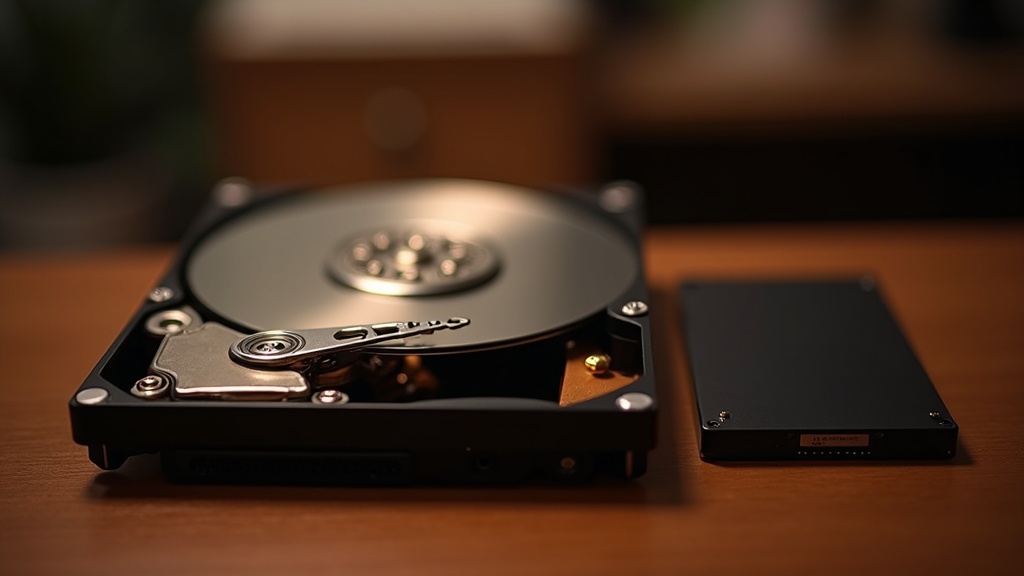
A traditional hard drive stores data on a spinning magnetic platter, and it reads that data using a physical arm that has to move to the right spot before it can start pulling information. That process is called seeking, and it takes real, mechanical time.
Game files are rarely stored in one tidy block. Textures, audio, level geometry and code are scattered across the drive, especially after a game has been installed and updated a few times. Every time the console or PC needs a new piece of that data, the drive has to physically seek for it again.
Multiply that by the thousands of small file requests a modern game makes just to load a single level, and the seeking adds up. This is the fundamental bottleneck an SSD removes.
§02What is actually different about how an SSD reads data?
An SSD has no moving parts. It stores data in flash memory chips and reads from any location in roughly the same amount of time, so there’s no mechanical penalty for jumping around a scattered file.
This is the core reason SSDs feel faster in games specifically, not just in general file transfers. Games don’t read data in one long continuous stream — they constantly jump between small chunks of unrelated information: a texture here, a sound cue there, a chunk of map geometry somewhere else. A hard drive is bad at exactly this kind of scattered, “random access” reading. An SSD is good at it by design.
So the improvement isn’t simply “faster,” it’s specifically better at the kind of messy, jump-around reading that games do constantly. That’s why the difference feels more dramatic in games than it does when, say, copying a single large video file.
§03What parts of the game experience actually change with an SSD?
The clearest change is in loading screens, which shrink noticeably and in some cases disappear from view entirely. Beyond that, open-world games stream in new areas more smoothly, texture pop-in is reduced, and games that punish players with slow respawns feel far less frustrating.
- Level load screens: This is the most obvious and most talked-about change. Static loading screens that once gave players time to read tips or watch a logo animate now often pass quickly.
- Open-world streaming: Games that load the next chunk of map while the player is still moving rely heavily on fast, random data access. An SSD reduces the chance of the game running out of loaded world in front of the player, which shows up as pop-in or brief freezes on a hard drive.
- Death and respawn cycles: In genres built around frequent failure — certain roguelikes, difficult platformers, some shooters — the time between dying and getting back into the action matters a lot to how the game feels. An SSD shortens that gap.
- Fast travel and menu-heavy games: Any game that asks players to jump between locations through a loading screen benefits, since that’s a direct hard-drive bottleneck being removed.
What doesn’t change is the game’s actual simulation speed, its graphics quality, or its frame rate in motion. An SSD affects how quickly data gets to the system, not how the system processes that data once it’s there. That distinction matters, because it’s easy to lump “faster loading” and “better performance” together when they’re really separate things.
§04Do all SSDs make the same difference?
No. There’s a real gap between older SATA-based SSDs and newer NVMe drives, and console generations matter too — a drive fast enough for one console’s game engine may not be fast enough to take full advantage of a newer one’s.
SATA SSDs connect through the same interface hard drives have used for years, which caps how much data can move per second. NVMe drives connect directly to faster lanes on the motherboard and can move substantially more data at once. For general PC use — booting faster, opening apps quicker — the difference between a good SATA SSD and an NVMe drive is often hard to notice. For games built to lean on very fast storage, it can matter more.
This is especially relevant on consoles that were designed around a specific internal drive. Some current-generation consoles were engineered so their games could assume a certain minimum storage speed, streaming in assets in ways that simply weren’t possible on older hardware. Adding external storage to these systems for extra space is usually fine for older games, but running the newest titles from an underpowered external drive can bring back some of the loading behavior an SSD was supposed to fix. Readers weighing this trade-off may find our guide on how much storage you actually need for a game console useful before buying extra drives.
§05Does an SSD help on console the same way it does on PC?
Broadly yes, but the details differ. Recent console generations were designed around SSD speeds as a baseline, while PCs still commonly mix SSDs and older hard drives, so the improvement on PC depends heavily on which drive a specific game is installed to.
On a PC, it’s entirely possible to have a fast SSD for the operating system and a much slower hard drive for game storage, in which case installing a specific game onto the SSD is what actually delivers the benefit — simply owning an SSD in the machine isn’t enough if the game itself sits on the slower drive.
Consoles remove some of that ambiguity because storage is more standardized, but the underlying principle is identical: the bottleneck was always the mechanical drive, and removing it removes the wait.
§06Is upgrading to an SSD worth it for an older console or PC?
For most people still using a mechanical hard drive, yes — it’s one of the more noticeable upgrades available for the price, especially for load times and stutter. Whether it’s worth it for a specific system depends on how old that system is and what it was designed to support.
On an older console generation, an SSD can still meaningfully cut load times even though the system wasn’t built around SSD speeds the way newer consoles are. The gain is real but capped by the design of the hardware and the games themselves, since those games were built with hard drive loading in mind and won’t stream data any faster than their engine allows.
On a PC, swapping a hard drive for an SSD is one of the most reliable performance upgrades available, and it tends to help every game and every application, not just recent releases. It’s a good candidate for anyone trying to extend the life of an aging machine without buying new components. Readers weighing a broader hardware refresh versus a smaller upgrade like this may want to read our explainer on the difference between a console generation and a console refresh, since the same logic — big jump versus incremental improvement — applies to PC upgrades too.
§07What doesn’t an SSD fix?
An SSD won’t improve frame rate, won’t add graphical detail, and won’t fix a game that’s poorly optimized in ways unrelated to storage. It solves a specific bottleneck — data access speed — not general performance.
Some stutter that looks like a loading problem is actually a different issue entirely, such as a game compiling graphics shaders the first time an effect appears on screen, or a CPU struggling to keep up with a busy scene. An SSD won’t touch either of those. It’s worth being skeptical of claims that a storage upgrade will fix every performance complaint a game has, since much of what players experience as “stutter” has nothing to do with storage at all.
It’s also worth remembering that a game’s own code determines how well it takes advantage of fast storage. A game built with older, slower storage in mind won’t suddenly stream data in some new, more efficient way just because it’s installed on a faster drive — it will simply hit the same data requests faster.
§08How should this affect a storage or upgrade decision?
For most buyers, the practical takeaway is simple: prioritize an SSD over a hard drive for anything running games, and prioritize NVMe over SATA when the system and the games actually benefit from the extra speed. Beyond that, capacity and reliability matter more than chasing the fastest drive available.
- If choosing between a hard drive and an SSD at similar price, the SSD is almost always the better choice for gaming today.
- If choosing between SATA and NVMe SSDs for a modern console or a gaming PC running current titles, NVMe is worth the difference for anyone who wants the storage system to keep pace with newer games.
- If the system already has a fast SSD, further speed gains from an even faster drive are likely to be small in real-world play, and money may be better spent on capacity.
For readers comparing options across a full range of hardware, the site’s buying advice hub and consoles and hardware hub cover related upgrade decisions in more depth, including how storage choices fit into a broader console or PC setup.