A console generation is a full platform change — new hardware architecture, a new controller design, and a fresh library that eventually leaves the old machine behind. A console refresh is a mid-cycle update to an existing platform: same games, same generation, but improved internals like storage, a smaller case, or better graphics performance.
§01What exactly is a console generation?
A console generation is the industry’s way of grouping hardware that launched around the same time and competes on roughly equal technical footing. When Sony, Microsoft, or Nintendo release a genuinely new platform — one that requires developers to build games specifically for it and that cannot run the previous machine’s discs or cartridges without special compatibility work — that’s a generational leap.
Generations are usually defined less by a single console and more by an era. The generation that included the original PlayStation and the Nintendo 64, for example, is remembered for the shift from 2D sprites to 3D polygonal worlds. The generation that followed brought the PlayStation 2, the original Xbox, and the GameCube, and pushed disc-based media and online features further into the mainstream. Each of these eras lasted for several years and included multiple competing consoles from different manufacturers.
The defining trait of a new generation is that it resets expectations. Game studios stop developing for the old hardware within a few years, storage formats often change, and the controller itself may be redesigned. Anyone curious about how these eras have unfolded over the decades can start with our broader overview on the history of home gaming hardware, which traces how each generational jump reshaped what games could do.
§02What is a console refresh, then?
A console refresh is a revised version of an existing console released partway through its life. It keeps the same generation, plays the same games, and works with the same accessories in almost every case — but it improves the hardware in some way, whether that’s a smaller case, quieter cooling, more internal storage, or stronger graphics performance for a smoother experience on the same titles.
Familiar examples include the mid-cycle “Pro” and “X” style upgrades that Sony and Microsoft have released partway through recent hardware generations, and Nintendo’s habit of releasing slimmer or improved revisions of its handheld and hybrid systems, such as an OLED-screen update to an existing model. None of these count as a new generation because the underlying game library doesn’t change — a game designed for the standard model will run on the refreshed one, and vice versa.
Refreshes exist mainly for two reasons: to fix manufacturing costs or reliability issues discovered after launch, and to offer enthusiasts an upgraded experience without forcing a full platform switch. They let a manufacturer sell an “improved” product mid-cycle without asking every developer to rebuild their games from scratch.
§03How can you tell generation from refresh at a glance?
The simplest test is compatibility. If the new hardware can play every game made for the old hardware in that same family without a special upgrade path, it’s a refresh. If it requires games to be built specifically for it and can’t run the previous library natively, it’s a new generation.
- Controller shape: generations often introduce a new controller design; refreshes almost always keep the existing one.
- Game packaging: a switch in physical media format (cartridge to disc, disc to a new disc standard) usually signals a generational change.
- Marketing language: manufacturers tend to use words like “Pro,” “Slim,” or “X” for refreshes, and give an entirely new console family name for generations.
- Developer commitment: when major studios stop announcing new titles for the old machine altogether, that’s a generational shift, not a refresh.
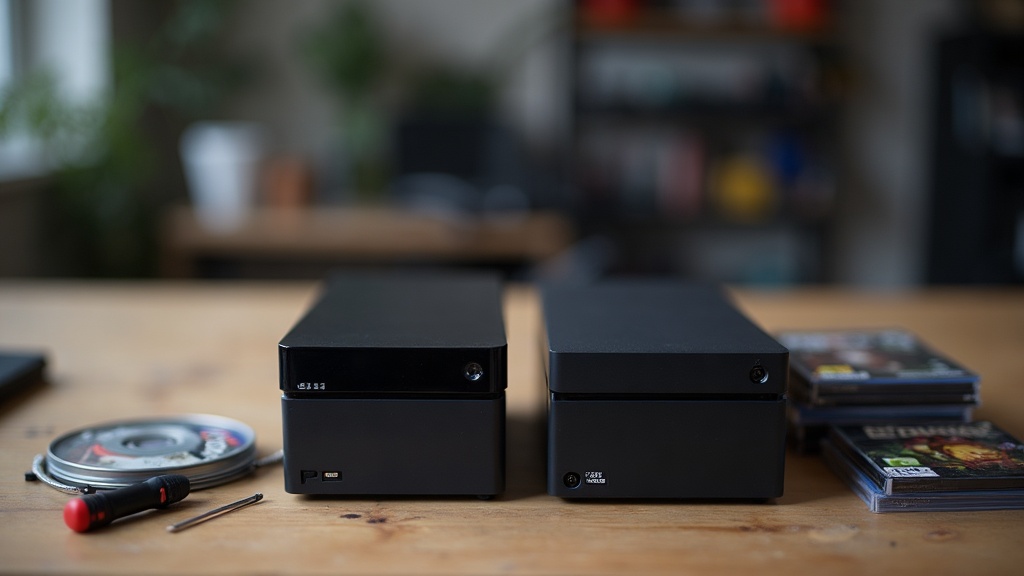
§04Do refreshes ever blur into new generations?
Occasionally, yes — and this is where a lot of buyer confusion comes from. Some refreshes are dramatic enough in their performance jump that games released later in that generation are noticeably smoother or more detailed on the refreshed hardware than on the original model, even though both are technically the “same” console family.
This has happened with mid-cycle upgrades that significantly boosted graphics processing partway through a hardware generation. Games kept running on both the original and the refreshed version, satisfying the definition of a refresh, but the practical experience could feel closer to a step forward than a simple case redesign. The key distinguishing line remains compatibility: as long as the software library is shared, it’s still one generation with an upgraded option inside it, not two separate generations.
Handheld and hybrid devices add another wrinkle. A manufacturer might release a screen-upgraded or battery-improved revision of a portable console that plays identical software to the original, which is clearly a refresh — but if that same manufacturer later releases a technically distinct successor with its own separate game library, that’s the start of a new generation, even if the marketing name sounds similar.
§05Does backward compatibility differ between generations and refreshes?
Refreshes offer full backward compatibility by definition — the whole point is that they run the existing library. New generations offer backward compatibility only when the manufacturer chooses to build it in, and the level of support varies widely from one console launch to the next.
Some generational transitions have included strong backward compatibility, letting owners carry forward a library of physical discs or a digital collection onto the new hardware. Others have offered partial support, limited to certain titles, or none at all, requiring separate hardware or a legacy console kept on hand to keep playing older games. Because this varies so much by platform and by launch, it’s worth checking a manufacturer’s official compatibility information for a specific console rather than assuming it will match an earlier generation’s approach.
This is also where preservation-minded players start paying attention to physical media and digital storefront longevity, since digital licenses tied to a discontinued storefront can become harder to access even when the hardware itself keeps working.
§06Why does the distinction matter for buyers?
It matters because the two upgrades have completely different implications for your existing game collection and accessories. A refresh is close to a safe, incremental purchase — your games, controllers, and save data typically carry over. A new generation is a bigger financial and practical decision, since it may mean replacing accessories, waiting on backward compatibility, or rebuying digital titles for a new storefront.
Buyers chasing the best possible experience on games already out today are usually better served by a refresh, if one exists for their current platform. Buyers who want access to the next several years of new game releases, and who don’t mind that older accessories may not carry over, are the ones a new generation is aimed at. Readers weighing this kind of purchase may find it useful to browse our general hardware buying guidance before comparing specific models.
§07Which one should shape your buying decision?
Buy based on the games you actually want to play, not the label on the box. If the games you’re excited about already run on your current console, a refresh of that same machine is usually the lower-risk, lower-cost route to a better experience with the library you already own.
If the games you want are exclusive to a platform that hasn’t been announced as a generation shift, don’t assume it, and don’t rely on unofficial rumours about upcoming hardware to plan a purchase. Wait for a manufacturer to formally state whether a new machine is a refresh or a full generational successor — the difference affects your accessories, your existing digital library, and how many more years of new releases the older hardware is likely to receive.
For readers building out a home setup gradually, it also helps to think about resale and long-term value. A refresh tends to hold value differently than an original model, and a console nearing the end of its generation typically sees its game library slow down as studios shift attention to the next platform. Understanding which category a piece of hardware falls into — generation or refresh — is the fastest way to judge how much life is really left in it. For more grounding on how these product cycles have played out historically, our retro and history coverage is a useful starting point, and our family and shared-console advice can help if the purchase needs to serve more than one player in the household.