The graphics card matters most for gaming performance per dollar, followed by having “enough” CPU to avoid bottlenecking it, then enough RAM to stop stuttering. Storage speed, the power supply, and the case matter for comfort and longevity, but they won’t change how a game actually runs the way the GPU and CPU will.
§01What part of a gaming PC matters most for the money?
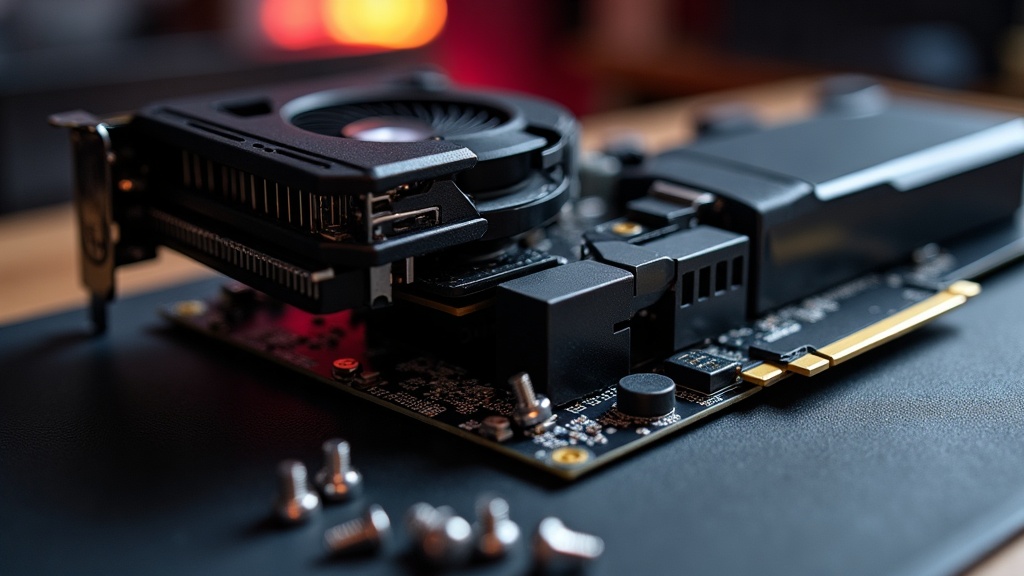
For pure gaming performance, the graphics card (GPU) is the single component that most directly determines how well games run. It’s the part doing the heavy lifting of rendering the image you see, and it’s usually the biggest line item in a gaming build’s budget for good reason.
That doesn’t mean it deserves the entire budget. A powerful GPU paired with a weak CPU or too little RAM can end up “waiting” on the rest of the system, which wastes money rather than saving it. The goal isn’t to maximize one part — it’s to avoid having any one part hold the others back.
This is a genuinely different philosophy from console shopping, where the hardware is fixed and the only real decision is which model or generation to buy. For more on how that fixed-hardware approach compares, the difference between handheld and home console hardware is a useful reference point for readers coming from consoles into PC building for the first time.
§02Does the CPU matter as much as the GPU?
Not usually as much, but it matters more than many first-time builders expect. The CPU handles game logic, physics, and feeding work to the GPU — if it’s too weak, the graphics card can’t be fed fast enough and sits underused, a problem commonly called a bottleneck.
The practical takeaway is that the CPU doesn’t need to be the most expensive part of the build, but it does need to be reasonably matched to the GPU. A modest, well-balanced CPU paired sensibly with the graphics card will usually outperform a system where all the money went into the GPU and almost none into the CPU.
Some game types lean harder on the CPU than others. Strategy games with large numbers of units on screen, simulation games, and some open-world titles tend to ask more of the processor than fast-paced shooters do, where the GPU tends to be the limiting factor. Anyone building around a specific genre is worth checking which side of that line their favorite games fall on before finalizing a budget split.
§03How much RAM is actually worth paying for?
Enough RAM to comfortably run the operating system, the game, and anything running in the background (browser tabs, chat apps, capture software) without the system falling back on slower storage-based memory. Beyond that “comfortable” point, extra RAM tends to have diminishing returns for gaming specifically.
The mistake to avoid is treating RAM like storage, where more is always better. Once a system has enough RAM that it isn’t running short during normal use, doubling it again rarely produces a noticeable improvement in games. It’s a part where “adequate” is genuinely more useful language than “maximum,” and it’s one of the easier places to avoid overspending.
Speed and configuration (for example, running memory in a matched pair rather than a single stick) can matter more than raw quantity once the basic amount is covered, though the effect varies by platform and is easy to overstate.
§04Does storage type change anything for gaming?
Storage type changes how quickly games load and how smoothly some titles stream in new areas, but it doesn’t change frame rates or visual quality the way a GPU upgrade does. It’s a comfort-and-convenience upgrade rather than a performance one in the traditional sense.
A solid-state drive (SSD) is worth prioritizing over a traditional spinning hard drive for the drive a game actually runs from, mainly because of how much faster it reads data and how much less waiting it involves during loading screens and level transitions. The deeper mechanics of why that happens are covered in what an SSD actually changes about game loading, which applies just as much to PC as it does to consoles.
Where storage becomes a real budget question is capacity rather than speed. Modern game installations, especially with high-resolution texture packs, can be large, and running out of space is a common frustration. The reasoning in how much storage you actually need on a console carries over reasonably well to PC gaming, even though the hardware itself is different — the underlying question of “how many large games do you actually keep installed at once” is the same.
§05Is it worth spending more on the power supply and case?
Yes, in the sense that these are the parts most tied to reliability and safety rather than performance. A cheap, poorly made power supply is one of the more common causes of instability or outright hardware damage, so it’s not a good place to cut corners even though it doesn’t show up in any benchmark.
The case matters mainly for airflow. A case with poor ventilation can leave every other component running hotter than it needs to, which affects both performance under sustained load and how long the parts last over the years. The same basic physics that explains why enclosed devices struggle with heat applies here — the overview of what actually happens when a console overheats is written about consoles specifically, but the underlying thermal principles are identical inside a PC case.
Neither part needs to be the most expensive option on the shelf. They need to be from a reputable line, sized appropriately for the components inside, and not chosen purely on price alone.
§06Should you spend more on the motherboard?
Usually not much more than necessary. The motherboard’s job is mostly to support the CPU, RAM, and storage a build actually needs, plus provide the connectivity (USB ports, expansion slots) that matter to the person using it. Beyond that baseline, extra spending tends to buy features many gamers never use.
Where it’s worth paying a little more is future flexibility — a board that supports a wider range of CPU upgrades later, or has enough expansion room for an additional drive down the line, can save money on a future upgrade even if it doesn’t change how any current game runs today.
§07Where do most people overspend or underspend?
The most common overspend is buying a far more powerful GPU than the rest of the system can support, or than the monitor can actually display the benefit of. The most common underspend is skimping on the power supply or cooling to afford a bigger GPU, which risks the reliability of the whole build.
- Overspending on RAM capacity well past what games and background software actually use
- Underspending on the power supply, which has no visible performance number but affects everything
- Buying a high-end GPU to pair with a monitor or display that can’t take advantage of it
- Treating the motherboard as a place to spend leftover budget rather than buying just enough
That last point about displays is worth pausing on: pairing a strong GPU with an outdated monitor or the wrong cable standard can leave real performance on the table. The connection details are covered in what HDMI 2.1 actually changes for gaming, and while that piece is written with consoles in mind, the same bandwidth logic applies to PC monitors and graphics card outputs.
§08How long should a gaming PC’s parts actually last?
With reasonable cooling and a decent power supply, most core components can last many years of regular use, though “enough” performance for new games tends to shrink well before parts physically fail. Longevity and “still fast enough” are two different questions, and it’s worth budgeting with both in mind.
Consoles face a comparable version of this tension, where hardware doesn’t fail on a fixed schedule but gradually falls behind what new software expects. The reasoning in how long a game console actually lasts before it fails is a useful parallel: physical failure and practical obsolescence are separate clocks, and a PC builder budgeting for the next several years should think about both.
For readers weighing a first build or a full upgrade against buying prebuilt, the broader reasoning collected in the site’s buying advice archive and the hardware breakdowns in the consoles & hardware archive cover the adjacent decisions — timing a purchase, weighing revisions, and judging what’s actually worth paying extra for — that apply just as much to PC parts as they do to console generations.