You avoid overpaying for a gaming laptop by ignoring the marketing tier name on the box, checking the actual graphics chip and its power limit, buying at the right point in the yearly release cycle, and resisting bundled extras you don’t need. The laptop market hides its real value behind branding, not specs.
§01Why do gaming laptops feel so overpriced compared to desktops?
Gaming laptops cost more than a desktop with equivalent gaming performance because you’re paying for miniaturization: smaller circuit boards, custom cooling systems, a battery, a screen and a chassis that has to survive being carried around. None of that is optional the way it is on a desktop tower.
That premium is real and mostly unavoidable. The overpaying that’s avoidable comes from a second layer: brand markup, retailer bundling, and buying the wrong configuration for what you actually play. Those are the parts a careful shopper can control.
If portability doesn’t actually matter to your setup, it’s worth reading about what gaming PC parts matter most for the money before committing to a laptop at all — a desktop or console might get you more performance per dollar.
§02What specs actually matter when buying a gaming laptop?
The graphics chip matters most for game performance, followed by how much power the laptop’s cooling allows it to use. RAM and storage matter for smoothness and load times, but a strong CPU and GPU with a starved cooling system will underperform an identical chip in a better-cooled machine.
Laptop manufacturers often use the exact same graphics chip name across multiple models, but let each model run it at a different power limit. Two laptops can have the “same” graphics card on the spec sheet and perform noticeably differently, because one is allowed to run hotter and draw more power than the other.
- Graphics chip and its wattage: Look for the specific power limit listed in the manufacturer’s spec sheet, not just the chip’s model name.
- RAM: Enough matters more than a lot. For a deeper breakdown of how much is genuinely useful, see how much RAM a gaming PC actually needs.
- Storage type and speed: An SSD changes loading behavior significantly; read what an SSD actually changes about game loading if you’re deciding between storage configurations.
- Screen refresh rate: A higher refresh rate only helps if the graphics chip can actually push frames fast enough to use it — see what refresh rate is worth paying for.
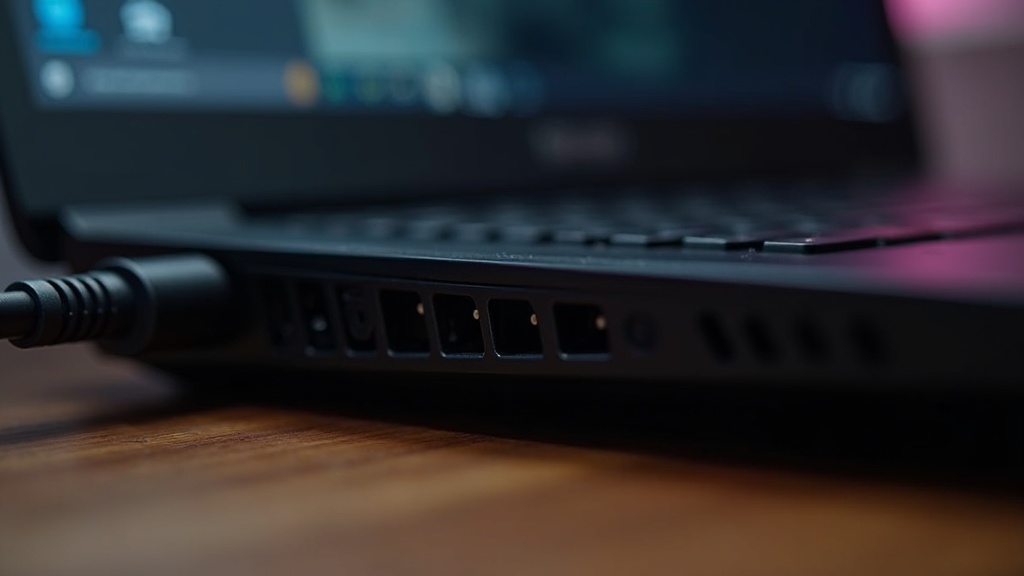
- Cooling design: Bigger vents, more fans and thicker chassis usually mean the same chip runs faster and longer without throttling.
Buying based on the marketing tier (“gaming series,” “pro series”) without checking these details is the single easiest way to overpay for less than you expect.
§03Is it better to buy a gaming laptop at launch or wait?
Waiting almost always saves money on gaming laptops, because prices drop steadily after a model launches and new graphics chip generations arrive on a predictable yearly-ish cycle. Buying right after a new generation launches, rather than right before, usually gets more performance for the same money.
Laptop makers refresh their lineups when a new mobile graphics chip generation ships. The previous generation’s laptops then get discounted to clear stock, often quite substantially, while offering performance that’s only modestly behind the new models for most games.
The console world has a similar rhythm worth understanding by comparison — see buying a console at launch versus waiting for a revision — but laptops move faster and depreciate harder than consoles do, because the underlying chips improve every year rather than every several years.
A practical approach:
- Avoid buying a laptop in the first weeks after a new GPU generation is announced, since older-generation stock hasn’t been discounted yet.
- Look for sales tied to back-to-school periods or major shopping events, which tend to discount the outgoing generation heavily.
- If a new generation is rumored but not yet released, it’s usually worth waiting rather than buying the outgoing model at full price.
§04What laptop specs are safe to skip to save money?
You can safely spend less on the screen’s color accuracy, the case’s aesthetic lighting, and the pre-installed software bundle, since none of these affect actual gaming performance. Spending less on the graphics chip or RAM to afford these is the wrong trade.
- RGB lighting and case design: Purely cosmetic. It adds cost without adding performance.
- Ultra-high screen resolution on a laptop panel: A very high resolution screen demands more from the graphics chip to run games smoothly, which can mean you’re paying twice — once for the panel, once for the extra graphics power needed to drive it. A more moderate resolution paired with a stronger graphics chip is often the better use of the same budget. Related reading: why frame rate matters more than resolution.
- Bundled software and “gaming hub” apps: Rarely essential, sometimes actively add background load that reduces performance.
- Oversized storage at purchase: Many gaming laptops let you add or swap an internal drive later, often for less than the manufacturer charges to include it upfront. Check whether the storage is user-upgradeable before paying a premium for a bigger drive at checkout.
The money saved on these should go toward the graphics chip and its cooling, which are the two things a laptop cannot easily have upgraded later.
§05Should you buy a gaming laptop new, used, or refurbished?
A certified refurbished unit from a manufacturer or major retailer can be a genuine bargain, since it’s been tested and typically carries some warranty. A used laptop bought privately carries more risk, mainly around battery health and hidden thermal or liquid damage that isn’t visible from the outside.
Before buying secondhand, it’s worth applying the same discipline you’d use for a used console — our guide on what to check before buying a used console covers thermal and wear issues that translate directly to laptops.
- Ask the seller to run the laptop under load (a game, not just the desktop) and check that fans ramp up and the machine doesn’t shut down unexpectedly.
- Check the hinge and chassis for cracks, which often signal the laptop was dropped or carried roughly.
- Ask about battery cycle count if the laptop’s software exposes it — a heavily used battery is a real cost you’ll eventually pay to replace.
- Confirm the seller isn’t including a “gaming laptop” that’s actually a business laptop with integrated graphics dressed up with RGB accessories — check the graphics chip model directly rather than trusting the listing title. This is closely related to knowing the difference outlined in graphics card versus integrated graphics.
§06Do you need to buy extra accessories with a gaming laptop?
Most gaming laptops work fine out of the box without extra accessories, but a cooling pad, an external mouse, and possibly a second monitor for desk use are the additions most players actually benefit from. Retailers often push bundles that add cost without adding real value.
It’s worth reading which gaming accessories are worth buying (and which to skip) before saying yes to any in-store or checkout-page bundle, since laptop retailers frequently attach mice, bags, and software subscriptions at inflated bundle pricing.
If the laptop will mostly live on a desk rather than travel, it’s also worth thinking about desk setup separately — see how to set up a comfortable gaming desk — since an external monitor and proper seating position can matter more to comfort than any laptop-specific accessory.
§07How do you compare gaming laptop deals without getting confused?
Write down the exact graphics chip model, its power limit if listed, the RAM amount, and the storage type for each laptop you’re considering, then compare those four numbers side by side rather than the marketing name or price alone. Two laptops priced identically can differ substantially once you line up the real specs.
A few habits make this easier:
- Search the graphics chip’s exact model number on the manufacturer’s own product page rather than trusting a retailer’s product description, since retailer listings sometimes omit the power limit entirely.
- Ignore “starting at” pricing on ads, since the advertised configuration is often the weakest one available.
- Check whether the price includes any current promotional discount that will expire, and treat the non-discounted price as the real baseline for comparison.
- If choosing between two very similarly specced laptops, let build quality, keyboard feel, and port selection be the tiebreaker rather than paying more for a brand name alone.
For a broader sense of how these buying principles apply outside laptops specifically, the Buying Advice section and the PC Gaming & Setup section cover related decisions, from monitor choices to what actually limits performance inside a gaming PC.
§08Is a gaming laptop ever the wrong choice?
A gaming laptop is the wrong choice if you never actually need to move it, since a desktop or console will generally deliver more performance for the same money when portability isn’t required. Laptops earn their premium specifically through mobility.
Before finalizing a laptop purchase, it’s worth briefly comparing against a console, since the trade-offs are different in ways that matter depending on how you actually play — handheld versus home console today lays out that comparison clearly, and a similar logic applies when weighing a laptop against a console for a shared household setup.
The honest bottom line: overpaying for a gaming laptop rarely comes from paying too much for genuine performance. It comes from paying for a brand name, a cosmetic feature, or a configuration mismatched to the games actually being played. Match the spec sheet to the need, time the purchase around the release cycle, and the rest takes care of itself.