Most game consoles last somewhere between five and ten years of regular use before something inside them fails, though many keep working well beyond that with light use or a bit of luck. The biggest factors are heat, moving parts like fans and discs drives, and how much the system gets used rather than its age on the calendar.
§01What actually breaks first in a console?
The parts most likely to fail first are anything mechanical: cooling fans, optical disc drives, and the thermal paste or pads that carry heat away from the main chip. Purely digital components tend to last far longer than anything with moving parts or a physical wear point.
Fans are usually the first thing to go noisy, since they spin constantly whenever the console is powered on and collect dust over time. A struggling fan means the system runs hotter, which accelerates wear on everything else. Disc drives are the other common failure point, because they rely on a spinning motor and a laser assembly that can drift out of alignment after years of use.
Thermal paste is less obvious but just as important. It’s the compound between the processor and its heatsink, and it dries out gradually. Once it does, the chip runs hotter than it should even if the fan is working fine, which is why some consoles start behaving oddly years in with no obvious cause.
§02Do consoles fail because of age or because of use?
Use matters more than calendar age. A console played for hours every day accumulates far more heat cycles and mechanical wear than one played occasionally, so two identical systems bought the same week can have very different lifespans depending on how hard they’re run.
Heat cycling — the console warming up during play and cooling down when it’s switched off — puts more physical stress on internal components than simply sitting idle. This is part of why consoles left permanently in standby mode, rather than fully powered off, sometimes seem to develop problems sooner: the internals rarely get a full cool-down period.
Ventilation plays a big role too. A console tucked into a closed cabinet or pressed against a wall runs hotter than one with open space around it, and that heat difference compounds over years of use.
§03Does dust really shorten a console’s life?
Yes. Dust buildup inside the case insulates heat instead of letting it escape, forcing the fan to work harder and raising the internal temperature the console runs at during normal play. Over months and years, that extra heat is one of the more preventable causes of early failure.
Consoles kept on carpet, near pets, or in rooms with heavy dust tend to need more frequent cleaning than ones on a hard floor in a well-ventilated room. A build-up of dust across the intake vents is one of the more visible warning signs that a system is running hotter than it should.
- Keep a few inches of open space around the console, not pressed flush against a wall or shelf.
- Avoid running consoles inside enclosed cabinets with no airflow.
- Periodically clear dust from external vents rather than waiting for performance issues to appear.
§04Do digital-only consoles last longer than disc-based ones?
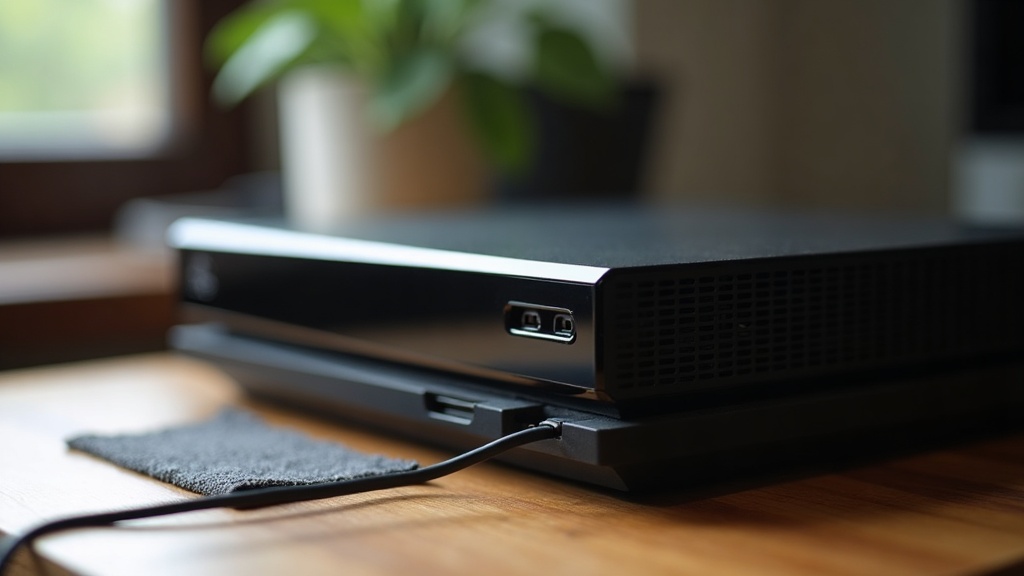
Removing the disc drive removes one of the most common mechanical failure points, so digital-only versions of a console generally have one less thing that can wear out. That doesn’t make them immune to failure — fans, storage, and heat-related issues still apply — but it does remove a specific, well-documented weak spot.
This is closely tied to how storage works on modern systems generally. Anyone deciding between physical and digital libraries, or trying to figure out how much internal storage they’ll actually need, may find it useful to read about how much console storage you actually need, since storage choices affect not just convenience but which components are even present inside the box.
§05Does a console revision last longer than the original model?
Often, yes. Manufacturers frequently revise a console partway through its life to shrink the internal components, improve cooling, or fix known failure points from the original run, and later revisions sometimes run cooler or quieter as a result — though not every revision changes cooling meaningfully.
This is one of the genuine trade-offs of buying early versus waiting. Our guide on buying a console at launch or waiting for the revision goes into this in more depth, including the other changes — not just durability — that tend to show up in later hardware revisions.
§06What role does the power supply play in console failure?
The power supply is one of the most failure-prone parts of any console, since it constantly converts household electricity into the steady low voltage the internals need. A worn or damaged power supply is a common cause of a console that won’t turn on at all, even when everything else inside is fine.
External power bricks are generally easier and cheaper to replace than internal power supplies, which is one advantage of consoles designed with the power supply outside the main case. Power surges, using cheap or damaged cables, and running a console in a hot room all add extra stress to this component over time.
§07Can controller problems make a console seem like it’s failing?
Yes — a lot of what feels like “the console is dying” is actually the controller. Drift, unresponsive buttons, or connection drops are controller issues, not console issues, and they’re far more common simply because controllers get physically handled constantly while the console itself sits untouched.
It’s worth ruling this out before assuming the console itself is failing. Our explainer on what controller drift is and why it happens covers the mechanical wear behind the most common symptom, and the piece on how game controllers actually track inputs explains the underlying technology for anyone curious why these parts wear unevenly.
§08Is a console “dead” the same as a generation ending?
No — these are separate things. A console failing is a hardware problem with one specific unit. A console generation ending is a broader shift where manufacturers stop actively supporting a whole console family with new games and updates, regardless of whether any individual unit still works fine.
It’s a distinction worth understanding, since a perfectly working console can still fall outside active support once a new generation arrives, and a mid-generation refresh isn’t the same as a full generational change either. The article on console generation versus console refresh lays out how manufacturers typically draw that line.
§09Can a failing console be repaired instead of replaced?
Often, yes, for common issues like fan replacement, thermal paste, or a worn disc drive, which are mechanical and well understood. Failures deeper in the main board — particularly anything affecting the graphics or processing chip itself — are harder and more expensive to fix, and sometimes not worth it compared to buying a newer or refurbished unit.
Whether a repair makes financial sense depends heavily on where the console sits in its own product cycle. An older system nearing the end of its supported life is a different repair decision than a recent purchase. General buying considerations, including when replacement beats repair, are covered across our buying advice archive.
§10Does newer hardware fail less often than older hardware?
Not automatically. Newer consoles often run cooler thanks to better chip efficiency, but they also pack more components into smaller cases, which can offset some of that advantage. Manufacturing quality control, not just age, plays a large role in how reliable any specific console generation turns out to be.
Newer systems also tend to lean more heavily on solid-state storage, which has no moving parts and behaves very differently from older mechanical drives. For readers wanting to understand that shift, our piece on what an SSD actually changes about game loading explains the practical differences, while broader hardware trends and comparisons are collected in the consoles and hardware archive.
§11What actually extends a console’s working life?
Good airflow, regular dust cleaning, powering the system down fully rather than leaving it in standby permanently, and avoiding placement in direct sun or enclosed cabinets all meaningfully extend how long a console keeps working. None of these guarantee a specific lifespan, but each one removes a source of accumulated stress.
- Give the console open space on at least one or two sides for airflow.
- Clean external vents periodically rather than reactively.
- Use a surge-protected outlet, especially in areas with unstable power.
- Avoid leaving discs spinning unnecessarily when not actively in use.
- Power off fully on occasion rather than relying solely on standby or sleep mode.
None of this turns a console into something that lasts forever, but it does close the gap between a system that fails early and one that comfortably outlasts its expected generation.