The accessories worth buying are the ones that fix a real, daily annoyance: a second controller, a decent headset, extra storage, or a proper charging dock. The ones to skip are almost always novelty peripherals, “official” branded versions of things a generic model already does, and anything promising a performance edge it can’t actually deliver.
Every console and PC setup eventually gets surrounded by an aisle’s worth of optional extras. Some genuinely make the experience better. Others exist because accessory margins are higher than console margins, and stores know a captive audience will buy on impulse. Telling the two apart just takes a bit of skepticism and a clear idea of what problem you’re actually trying to solve.
§01Which accessories are almost always worth it?
A second controller, a surge-protected power strip, and a storage upgrade solve problems nearly every player eventually runs into. These are rarely regretted purchases because they address ordinary, predictable needs rather than chasing a marginal improvement.
- A second controller. Local co-op and couch multiplayer are still common enough that one controller is a limitation, not a lifestyle. Official controllers tend to have better build quality and longer-term reliability than the cheapest third-party options.
- Extra storage. Modern game installs are large, and juggling installs to free up space gets old fast. Whether that means an external drive or an internal upgrade depends on the console, but the underlying need is close to universal. Our guide on how much console storage you actually need breaks down the decision in more detail.
- A charging dock or a couple of spare batteries. Cheap, unglamorous, and it removes the daily irritation of a controller dying mid-session.
- A basic headset or a pair of headphones with a mic adapter. Not for audio snobbery, but because voice chat and positional audio genuinely change how multiplayer games feel. What that actually gets you over stock TV speakers is worth understanding before spending — see what a gaming headset actually does differently than headphones.
§02Which accessories are usually not worth it?
Novelty controllers, “gaming” branded cables that claim to improve picture quality, and screen protectors sold as performance upgrades are generally not worth the money. They either solve a problem that doesn’t exist or offer a marginal benefit dressed up as essential.
Some recurring offenders:
- Premium HDMI cables marketed for gaming. A cable either supports the bandwidth and features a connection needs or it doesn’t; a more expensive cable of the same specification does not add sharpness or reduce lag. Anyone unsure what actually matters at the cable level should read about what HDMI 2.1 is and whether it matters for gaming before paying extra for a cable claiming mysterious benefits.
- “Anti-lag” gadgets and dongles. Most of what people call input lag comes from the display, the wireless connection, or the game’s own processing — not something a small adapter can fix. The real causes and fixes are covered in what input lag is and how to actually reduce it.
- Novelty controller shells and skins that alter grip. Fine as personal preference, but not something that changes performance, despite how they’re often marketed.
- Cooling fans that clip onto a console. Consoles are engineered with their own thermal design, and an external clip-on fan rarely does much that the internal cooling wasn’t already handling. If overheating is a genuine concern, it’s worth understanding what actually happens when a console overheats rather than buying a fix for a problem that may not exist on that particular machine.
§03Is a pro or elite controller worth the upgrade?
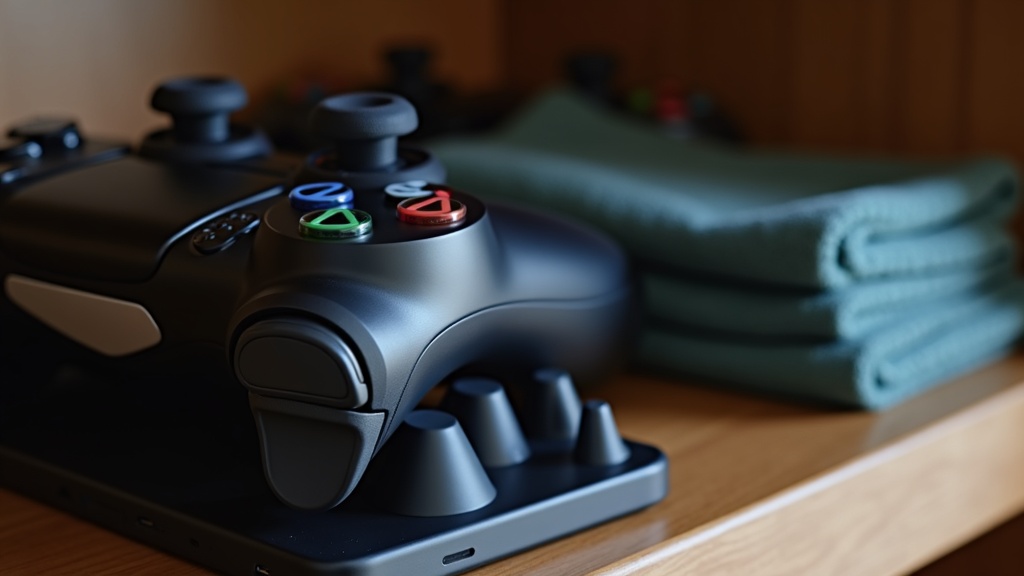
Premium controllers are worth it for players who use back paddles, remappable buttons, or adjustable stick tension regularly — competitive shooter players, mainly. For casual or single-player use, the standard controller does the same job for less money.
The appeal of higher-end controllers is real but narrow. Extra paddles matter if a player is regularly remapping jump or reload to their fingers in a fast-paced multiplayer game. Adjustable trigger stops matter for shooters where trigger travel time counts. But none of that changes how a single-player adventure or a puzzle game feels to play. It’s also worth knowing that no controller, however expensive, is immune to the mechanical wear that eventually causes stick drift — a problem covered in what controller drift is and why it happens. Buying a pricier controller does not buy immunity from that.
§04Are wireless accessories worth the extra cost over wired?
Wireless is worth paying for on peripherals where cable clutter or range genuinely matters — controllers and headsets, mainly. For anything where consistency and lowest possible latency matter more than convenience, wired remains the safer default.
Wireless controllers have matured to the point where the difference in responsiveness against a wired connection is rarely noticeable outside high-level competitive play. Wireless headsets are convenient and generally reliable now too. Keyboards and mice are a different story for some players, where a small amount of hesitation is unwelcome, though even here wireless technology has closed most of the historical gap. The tradeoffs are broken down more fully in wired or wireless: which peripherals are worth going wireless, which is worth reading before assuming either option is automatically better.
§05What about monitor and desk accessories — are those worth it?
A monitor arm and a properly adjustable chair are worth the money because posture problems compound over years of use. A specialty “gaming” mousepad or RGB desk mat is mostly cosmetic and doesn’t change how a game plays.
Physical comfort accessories tend to be underrated compared to flashier peripherals. A desk at the right height, a monitor at eye level, and decent lighting do more for long sessions than most add-on gadgets. There’s a full rundown in how to set up a comfortable gaming desk for anyone building a setup from scratch.
On the display side, before spending on any monitor-related accessory, it’s worth being clear about what the monitor itself needs. An ultrawide panel changes the way certain games are played and is genuinely worth considering for some genres, covered in is an ultrawide monitor good for gaming. Refresh rate is another area where spending has diminishing returns past a certain point — see what refresh rate is worth paying for on a gaming monitor for where that ceiling tends to sit.
§06Do PC-specific accessories follow the same rules?
Mostly yes. A good case with sensible airflow is worth it because it protects components and keeps noise down over years of use. Aesthetic add-ons like extra RGB lighting strips or decorative panels are the PC equivalent of a novelty console skin — nice if wanted, but not functional upgrades.
Dust and heat are the two things that quietly shorten a PC’s life, and a modest amount spent on airflow and cleaning tools pays off far more than an accessory that only looks good. That’s covered in how to keep a gaming PC from getting dusty and loud. Before spending on any PC accessory at all, it’s worth confirming the actual bottleneck is the peripheral and not the machine itself — a look at what gaming PC parts matter most for the money helps separate accessory spending from the upgrades that actually move the needle.
§07How do you decide if a specific accessory is worth buying?
Ask whether it solves a problem experienced regularly, whether a cheaper generic version does the same job, and whether the claimed benefit is something that can actually be felt during normal play rather than only in marketing copy.
A short mental checklist helps more than any brand name:
- Does this fix something that actually happens during a typical session, or a hypothetical edge case?
- Is there a non-branded or older-generation version that does the same job for less?
- Would the difference be noticeable without already knowing the accessory was installed?
- Is the accessory replacing a part that wears out anyway (batteries, cables) or claiming to add a new capability?
The same logic applies to buying decisions further up the chain — whether to pick up a console at launch, whether a subscription service pays for itself, or whether a game is worth full price rather than waiting. Broader reasoning on that kind of spending is covered across the site’s buying advice section, and hardware-specific comparisons live in the consoles and hardware archive. Anyone building or maintaining a PC setup specifically will find more detail in the PC gaming and setup section.
In the end, the accessories worth buying tend to be boring: a spare controller, enough storage, a comfortable chair, a cable that meets spec without a premium markup. The ones to skip are the ones sold on a feeling rather than a function — and that feeling rarely survives a second, more skeptical look at the shelf.