Controller drift is when an analog stick sends movement signals to a game even though nobody is touching it, making a character walk, a camera pan, or a cursor slide on its own. It happens because the sensor inside the stick wears down or gets dirty, so it can no longer accurately report a true “centered” position.
It is one of the most common hardware complaints in modern gaming, and it affects controllers from just about every manufacturer, on consoles and PC alike. Understanding why it happens makes it much easier to decide whether a controller is worth repairing, replacing, or living with a little longer.
§01What exactly is happening inside the controller when it drifts?
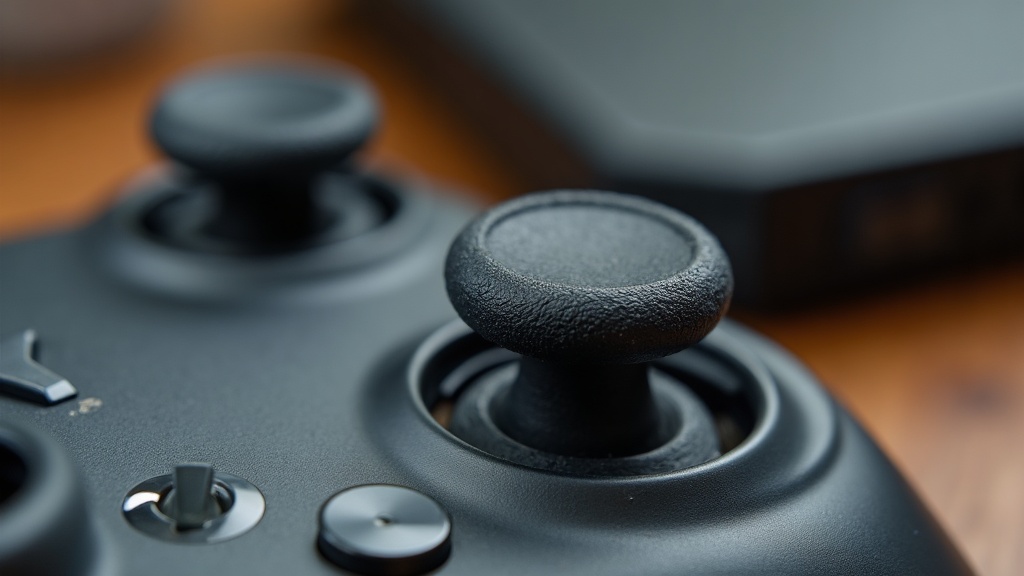
Most analog sticks use a small sensor, often a potentiometer, that measures how far the stick has moved from center and in which direction. Drift happens when that sensor’s reading becomes inaccurate, so the controller reports movement even when the stick is sitting perfectly still.
To understand this, it helps to know how the stick talks to the console or PC in the first place. As covered in our explainer on how game controllers actually track inputs, an analog stick isn’t a simple on/off switch like a button. It has to report a continuous range of positions, from fully centered to pushed all the way to an edge, dozens of times per second.
Two designs are common in modern controllers:
- Potentiometer-based sticks, which use a physical contact sliding across a resistive surface to measure position. This is the older and still very common approach.
- Hall effect sticks, which use magnets and a sensor that reads magnetic field strength without any physical contact between moving parts.
Both designs can drift, but the physical-contact type tends to wear out faster, because it relies on a small conductive element rubbing against a surface every time the stick moves.
§02Why does controller drift happen in the first place?
Drift happens because the internal sensor degrades from repeated physical wear, dust and debris buildup, or a manufacturing tolerance that was marginal to begin with. Over time the sensor stops returning a clean “zero” reading at rest, and the game interprets that error as intentional stick movement.
A few specific mechanisms tend to be behind most cases:
- Mechanical wear. Every push of the stick drags a tiny contact across a resistive track inside a potentiometer-style sensor. Over thousands of hours of play, that track wears a groove, and the contact no longer reads a consistent value at the resting position.
- Dust and debris. Controllers are handled constantly, often with unwashed hands, and used near couches and carpets. Dust, crumbs, and skin oils work their way into the stick housing and interfere with the electrical contact.
- Loose or worn springs. The mechanical parts that pull the stick back to center can weaken or shift slightly out of alignment, so the stick no longer rests in exactly the same spot every time.
- Manufacturing tolerances. Not every unit off the line is identical. Some sticks are simply built closer to the edge of acceptable tolerance and fail sooner than others, even from the same batch.
None of this requires a defective controller. It’s closer to how a car’s brake pads wear down with normal use — the difference is that most players don’t expect a controller to have a wear part at all.
§03Does controller drift happen to every controller brand?
Yes. Drift has been reported on controllers from every major console maker and on many third-party and PC controllers as well. It is a design and materials issue tied to how analog sticks work, not a flaw unique to one manufacturer.
It became a widely discussed problem during recent console generations partly because more players own more controllers than ever, and partly because online communities make it easy to compare notes and notice a pattern. That doesn’t mean every controller drifts, or that any single brand is immune — it means the underlying sensor technology has shared weaknesses across the industry.
Some manufacturers have shifted toward Hall effect sticks in newer controller models specifically because they avoid the physical contact wear associated with traditional potentiometers. Whether that fully solves the problem long-term is still being tested by real-world use, since Hall effect sticks introduce their own possible failure points, such as magnet degradation or manufacturing inconsistencies.
§04How do you know if your controller has drift?
The clearest sign is a character, cursor, or camera moving on its own while the stick isn’t being touched. Most consoles and PCs have a controller test screen that displays live stick input, which is the most reliable way to confirm drift rather than guessing based on gameplay alone.
Common symptoms include:
- A camera slowly rotating or drifting in one direction during gameplay when the stick is untouched.
- A character walking forward, backward, or to one side without any input.
- Menus scrolling by themselves.
- Inconsistent aiming that feels like it’s being pulled off target.
If any of these happen, checking the input diagnostics built into the console’s system settings, or a controller-testing utility on PC, will show whether the reported stick position actually returns to a true zero when released.
§05Can controller drift be fixed, or does the controller need replacing?
Minor drift can sometimes be improved with cleaning, recalibration, or a firmware update, but drift caused by physical wear on the internal sensor generally keeps coming back until the stick module itself is repaired or replaced. Whether that’s worth doing depends on the cost and age of the controller.
Reasonable steps in rough order of effort:
- Recalibrate the controller using the console or PC’s built-in controller settings. This won’t fix physical wear, but it occasionally corrects small errors.
- Clean around the base of the stick using compressed air, since dust buildup is a genuinely common and fixable cause.
- Update controller firmware if the platform offers it, since some manufacturers have released software adjustments that reduce dead-zone issues.
- Replace the stick module or the whole controller if the above doesn’t help. Replacement stick modules exist for many popular controllers and are a common repair for people comfortable with basic disassembly, though this can affect warranty coverage.
For controllers still under warranty, contacting the manufacturer directly is usually the first move, since drift is well recognized enough that many companies have a repair or replacement process for it.
§06How can you prevent controller drift from happening again?
There’s no way to make an analog stick immune to wear, but keeping the controller clean, avoiding excessive force on the stick, and not leaving it in dusty or humid environments all slow the process down. Rotating between two controllers can also spread out wear over time.
A few habits that genuinely help:
- Wipe hands before long play sessions, especially after eating.
- Store controllers away from carpet dust, pet hair, and direct sunlight.
- Avoid slamming the stick to its outer edge repeatedly during intense gameplay moments, which adds unnecessary mechanical stress.
- Consider a controller with Hall effect sticks if buying new, since it removes one common wear mechanism, even though it isn’t a guarantee against every kind of failure.
For anyone shopping for a replacement controller, it’s worth reading up in our buying advice section before choosing based on price alone, since stick technology, build quality, and repairability vary a lot between models that look similar on a store shelf. Our broader consoles and hardware coverage also digs into how these components fit into the rest of a system.
§07Is controller drift just a controller problem, or does it relate to other hardware issues?
Controller drift is specific to analog stick hardware, but it’s part of a bigger pattern where physical components wear differently than the rest of a gaming setup. Displays, storage, and connections all age and fail in their own ways too, just on different timelines and for different reasons.
For readers thinking about a broader hardware refresh rather than just a controller fix, it can help to look at how other parts of a setup hold up over time — for example, whether a solid-state drive actually changes loading times, whether a 4K TV is worth it for a modern console, or the practical difference between a console generation and a console refresh when deciding what to upgrade next. None of these fix drift directly, but they’re useful context when a controller failing coincides with other aging hardware.
Ultimately, controller drift is a wear-and-tear issue built into how analog sticks are made, not a sign that a player is doing something wrong. Recognizing the early symptoms, testing with a diagnostic screen, and deciding early whether to clean, repair, or replace the stick will save both frustration and money compared to discovering it mid-match.