Most people playing a handful of games at a time are fine with the storage that ships in a mid-tier or flagship console model. The trouble starts when you install a handful of large modern titles, keep older favorites installed “just in case,” and add streaming apps and screenshots on top. Storage anxiety is really a math problem about how many big games you want sitting on the drive simultaneously.
§01How big are game installs on modern consoles?
There’s no single answer, and that’s the honest starting point. Install sizes vary enormously by genre, engine, and how much optional content (voice packs, high-resolution textures, multiplayer maps) is bundled in. A tightly scoped indie platformer might take up a sliver of a drive. A sprawling open-world game with cinematic cutscenes and multiple language tracks can occupy a much larger chunk of it.
Rather than memorizing figures that change with every patch, it helps to think in categories:
- Small games — indies, retro-style titles, digital-only puzzle or arcade games. These rarely strain a drive.
- Mid-size games — most single-player story games, sports titles without extensive extra content, and older AAA games.
- Large games — current-generation open-world titles, live-service shooters with frequent content updates, and anything marketed around scale and detail.
The live-service category deserves its own mention. Games designed to be played for years tend to grow over time as developers add seasons, maps, and cosmetic content. A game that felt reasonably sized at launch can quietly become one of the biggest things on the drive a year later, simply through updates.
§02Is the storage that comes with a console enough?
For a household with one or two active games plus a rotating third, the storage built into a current mid-range console is usually workable. It becomes tight the moment you want several large titles installed at once, or you regularly download and delete big single-player games rather than sticking to one.
Console makers offer different storage tiers largely because they know usage patterns vary this much. Someone who plays one live-service game almost exclusively has very different needs than someone who dips into a dozen different single-player campaigns across a year. Before assuming you need to buy extra storage, it’s worth being honest about which of those two you actually are.
It’s also worth remembering that “free space” on a drive isn’t purely about game installs. Save data, screenshots and video captures, downloaded updates that haven’t finished installing, and system software all take a slice too. A console that reports itself as nearly full sometimes has more overhead eaten up by these smaller things than players expect.
§03Should you buy external storage or upgrade the internal drive?
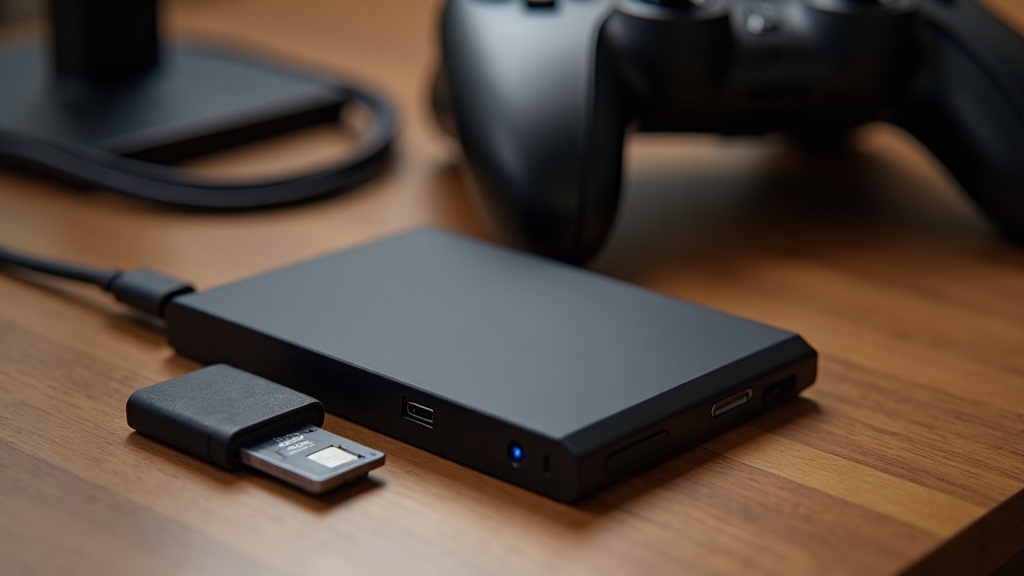
External storage is the easier, lower-risk option for most people, while replacing or upgrading an internal drive tends to suit players who want maximum performance for their most-played titles and don’t mind extra setup steps or cost.
The tradeoffs generally break down like this:
- External drives are simple to plug in, easy to move between systems, and forgiving if you change your mind later. On some consoles they’re perfectly fine for storing and even playing games directly; on others they’re best used to archive games you’re not actively playing, which you then move back to internal storage when you want to play them.
- Internal upgrades can offer a genuinely faster experience for demanding games, since they sit closer to the console’s own hardware. They usually cost more per unit of storage and may require checking compatibility lists rather than assuming “any drive will work.”
Whichever route you take, it’s worth checking your specific console’s official guidance before buying anything, since compatibility and supported drive types differ from one platform to the next and change as consoles receive software updates.
§04Do digital games take up more space than disc games?
Not inherently — a digital download and a disc version of the same game generally install to a similar size once fully set up, since both need to write the full game data to the drive. The real difference is timing and flexibility, not footprint.
With a disc, part of the game can sometimes be read directly from the disc itself depending on the platform and title, which can reduce how much has to sit permanently on the internal drive. With a fully digital copy, the entire install has to live on your storage all the time, whether internal or external.
Discs also give you the option to physically swap games in and out without deleting anything, and to resell or lend them, which indirectly reduces storage pressure since you’re not committing every game you own to the drive permanently.
§05Does buying a bigger storage tier at purchase actually save money?
Sometimes, but not always, and it depends heavily on how your habits evolve. A larger built-in drive avoids the hassle of buying and managing external storage later, but only if you’d genuinely have needed that extra space. Overbuying storage you never fill is just as wasteful as underbuying and having to patch the gap later.
A more useful way to think about it is future-proofing against a trend rather than a fixed number: install sizes for big-budget games have generally trended upward across console generations, driven by higher-fidelity assets, more voice acting and localization, and richer multiplayer content. That doesn’t mean every future game will be larger than every past one, but it’s a reasonable planning assumption if you tend to buy new large releases at launch.
Players who mostly stick to smaller indie titles, retro-style games, or a single ongoing multiplayer game don’t face the same pressure, and a lower storage tier paired with occasional external storage is often the more sensible spend.
§06Does storage capacity change between a console refresh and a new generation?
Yes — a mid-generation refresh of an existing console sometimes bumps the standard storage tier upward, while a true new console generation is where the bigger jump in typical game sizes actually shows up. Understanding which one you’re looking at helps set realistic expectations.
A refresh usually keeps the same underlying hardware architecture and game library, just with tweaks like more storage, a smaller design, or a better screen on a handheld. A full generational jump changes the underlying hardware enough that games are built differently from the ground up, which is usually when average install sizes shift the most noticeably. For a fuller breakdown of how these two are different and why the distinction matters for buyers, see our explainer on console generation vs. console refresh.
§07What’s a sensible way to decide how much storage to get?
Start from your actual play habits rather than a worst-case guess. Someone who mainly plays one or two ongoing games needs far less headroom than someone who rotates through a large backlog of AAA releases.
A few practical questions can guide the decision:
- Do you tend to keep finished games installed, or delete them once you’ve moved on?
- Are you mostly playing single large releases, or a wide mix of smaller titles?
- Do you play live-service or multiplayer games that grow through regular updates?
- Would you rather manage external storage occasionally, or avoid that entirely?
Players who answer “I keep everything installed” and “I play big new releases” to those questions benefit most from a higher storage tier or planning for external storage from day one. Players who delete games regularly, or who mostly play smaller titles, can comfortably start smaller and add storage only if it becomes necessary.
For more buying guidance and background on how console hardware decisions fit together, our Consoles & Hardware hub collects related explainers on storage, generations, and hardware choices in one place.
§08The bottom line
There’s no universal “right” amount of console storage, because the honest answer depends on how many large games you want installed at once and how you handle the ones you’ve finished. Rather than chasing a specific number, match the storage tier — and whether you add external storage later — to your own habits, and treat the built-in amount as a starting point rather than a permanent ceiling.