For most gaming PCs today, 16GB of RAM is the sensible baseline, 32GB is the comfortable choice for anyone who multitasks or wants headroom for a few years, and 8GB is a compromise best reserved for budget or older builds. More than that mostly benefits specific workloads, not typical gameplay.
§01How much RAM do you need for gaming right now?
16GB is the amount most current games are built around, and it’s the figure you’ll see recommended as the sweet spot on the back of most game boxes and store pages. It gives the operating system, background apps, and the game itself enough room without constant juggling.
8GB still technically runs many games, but it’s increasingly a bottleneck rather than a comfortable baseline. Windows itself, a browser with a few tabs, a chat app, and a game running in the background can quickly eat into 8GB, leaving little slack. That doesn’t mean an 8GB machine is unusable — it means it’s working harder than it should, and the first thing worth upgrading if performance feels inconsistent.
32GB is where enthusiasts and streamers tend to land. It’s not that games alone demand it; it’s that modern usage rarely happens in isolation. A stream overlay, a Discord call, a browser with dozens of tabs, and a game all running together is a realistic picture of how many people actually play, and 32GB absorbs that without a second thought.
§02Does more RAM actually make games run faster?
Not by itself, and not past a certain point. RAM prevents slowdowns caused by running out of memory; it doesn’t add raw graphical horsepower the way a stronger graphics card does. Going from too little RAM to enough can transform a stuttery experience. Going from enough RAM to excessive RAM rarely changes anything noticeable in gameplay.
This is one of the more common misunderstandings in PC building. It’s tempting to treat RAM like a graphics card, where bigger numbers reliably mean better performance. RAM doesn’t work that way. Once a system has enough memory that it isn’t constantly swapping data in and out, adding more mostly sits idle. For a breakdown of which components genuinely move the needle for the money spent, the guide on what gaming PC parts matter most for the money is a useful companion read.
§03What actually happens when a PC runs out of RAM?
When available memory fills up, the operating system starts relying on the storage drive as an overflow space, which is far slower than RAM. The practical result is stuttering, longer loading pauses, and background programs becoming sluggish or unresponsive while the game keeps running.
This swapping process is sometimes called using a “page file” or “swap space,” and it exists specifically so a low-memory system doesn’t crash outright. It’s a safety net, not a solution. A system leaning on it heavily will feel noticeably less smooth than one with enough RAM to avoid the swap entirely, even if both are technically running the same game at the same settings.
An SSD makes this fallback less punishing than it used to be on old mechanical hard drives, but it’s still nowhere near as fast as RAM itself. That’s a slightly different topic from how storage speed affects loading screens, which is covered in more depth in what an SSD actually changes about game loading.
§04Does RAM speed matter, or just the amount?
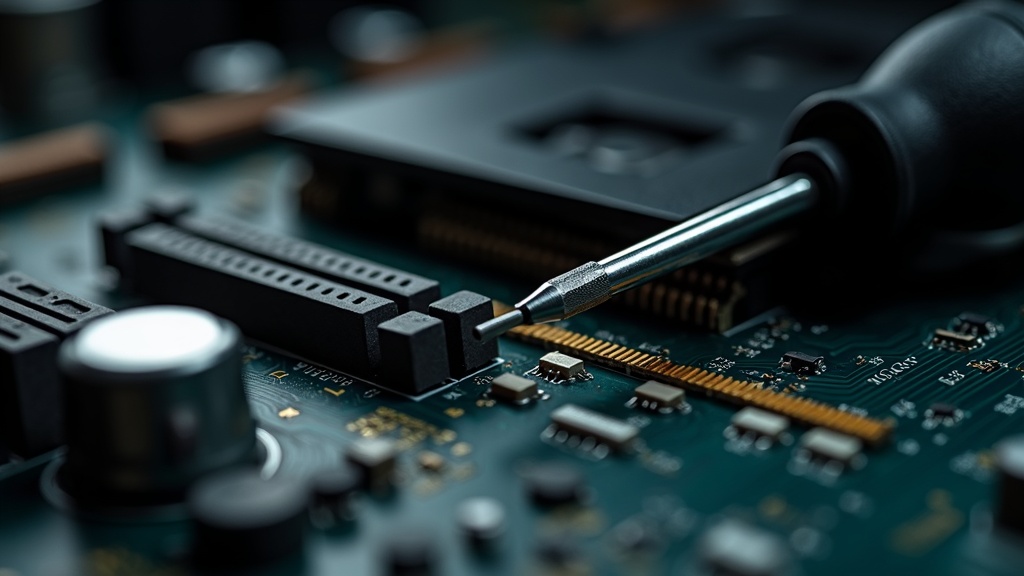
Amount matters more than speed for most gamers. Faster RAM (measured in MHz) can offer a small, usually modest, improvement in certain systems and certain games, but it’s a secondary consideration behind simply having enough capacity in the first place.
Where RAM speed matters more noticeably is on systems where the memory is shared more directly with graphics processing, which is a more relevant conversation for specific chip architectures than for a typical desktop with a dedicated graphics card. For a standard desktop gaming PC, it’s reasonable to prioritize getting the capacity right first — 16GB or 32GB — before worrying about squeezing out extra speed from faster modules.
Matching a motherboard’s supported memory type is also a practical necessity, not a preference. Systems are built around a specific generation of memory technology, and older and newer types are not interchangeable, so this is really a compatibility checkbox rather than a performance decision to agonize over.
§05Is 8GB of RAM enough for a budget gaming PC?
8GB can run lighter or older games acceptably, but it’s increasingly the first thing to bottleneck a modern title. For a genuinely budget build, it’s worth treating 8GB as a starting point to upgrade from rather than a long-term destination.
The practical issue with 8GB isn’t that games refuse to launch — it’s that everything running alongside the game competes for the same small pool of memory. Alt-tabbing to check a guide, having a browser open, or running a voice chat app can be enough to push a tight system into noticeable stutter, even if the game itself would run fine in isolation.
If a build is genuinely constrained by budget, it’s often smarter to buy a motherboard with room for more memory later and start with a smaller amount, rather than locking in 8GB permanently in a system with limited expansion room. This mirrors advice that applies across PC hardware and console hardware alike — that buying advice generally rewards thinking about the next few years, not just the day of purchase. The buying advice archive covers this kind of longer-view thinking across different kinds of gaming purchases.
§06Is 32GB overkill, or is it worth it?
32GB isn’t overkill for anyone who multitasks heavily, streams, edits video, or wants a system that won’t need a memory upgrade for years. For someone who only plays games with nothing else running in the background, 16GB is usually sufficient and the extra 16GB brings limited benefit.
The honest answer depends on how a PC gets used, not just what game is installed. Two people with the exact same graphics card and processor can have very different real-world memory needs based on whether they run a single game with nothing else open, or a game plus a stream plus a browser plus a chat client plus background updates.
32GB also tends to be a good hedge against how quickly game requirements creep upward over a PC’s lifespan. A system bought with headroom to spare generally ages more gracefully than one built to the exact minimum a game asks for at the moment of purchase.
§07Do you need 64GB of RAM or more for gaming?
No — 64GB and above is aimed at professional workloads like heavy video editing, 3D rendering, or running multiple virtual machines, not gaming. Very few games use anywhere near that amount, and buying it purely for gaming is spending money on capacity that will mostly sit unused.
This is worth stating plainly because RAM capacity is one of those specifications that’s easy to over-buy simply because a bigger number feels safer. For gaming specifically, the jump from 16GB to 32GB has a clearer, more common justification — multitasking headroom — than the jump from 32GB to 64GB, which is a much more niche use case.
Anyone genuinely unsure whether their workload needs that much is very likely in the group that doesn’t. Content creators, engineers, and people running several demanding programs simultaneously will usually already know it, because they’ve hit a wall with less.
§08How do you know if RAM is actually your bottleneck?
The clearest signs are stutter or slowdown that gets worse the longer a play session runs, or that appears specifically when switching between a game and other open programs, rather than a general lack of smoothness that’s present from the moment a game launches.
A general lack of smoothness that shows up immediately and consistently is more often a sign that the graphics card or processor is the limiting factor, not memory. RAM problems tend to show up as things getting worse over time, or as sudden hitches tied to background activity, rather than a flat, consistent performance ceiling.
It’s also worth remembering that RAM is only one part of a balanced system. Overspending on memory while under-spending on the graphics card or processor is a common mistake for newer builders, and the guide on what gaming PC parts matter most for the money is a good way to sanity-check that the rest of a build’s budget is allocated sensibly before RAM capacity gets bumped up further.
§09Does RAM matter differently for consoles than PCs?
Consoles have fixed, unified memory pools set by the manufacturer, so there’s no equivalent decision for console owners to make — the amount is baked into the hardware. PC gaming is different because the memory is a separate, upgradable component the owner chooses.
This is one of the genuine practical advantages of PC gaming: a system can be built or upgraded with exactly the amount of RAM that suits how it’s actually used, rather than accepting a single fixed configuration. Readers curious about how console hardware handles memory, storage, and longevity differently can find more on that in the consoles and hardware archive, including discussions of how console storage needs are assessed in how much console storage do you actually need.
For anyone weighing a PC build against a console purchase more broadly, that decision often comes down to more than just memory — it touches on upgradability, cost structure, and how long a system stays relevant, all of which get more room to breathe in the PC gaming and setup archive.
§10The practical takeaway
- 16GB is the sensible baseline for a modern gaming PC.
- 32GB suits multitaskers, streamers, and anyone who wants a few years of comfortable headroom.
- 8GB is workable for budget or lightweight setups but is the first thing worth upgrading.
- 64GB and beyond is a professional-workload tier, not a gaming requirement.
- Speed and capacity matching matter less than simply having enough memory for how the PC is actually used.
The right amount of RAM isn’t really a question with one universal answer — it’s a question about how a specific PC gets used day to day. Matching that honestly, rather than chasing the largest number available, is what actually keeps a gaming PC running smoothly.