HDMI 2.1 is a version of the HDMI connection standard that allows higher video bandwidth than older HDMI versions, enabling features like variable refresh rate, faster resolution and frame-rate combinations, and quicker signal switching. For gaming, it matters mainly if a player owns a current-generation console or a gaming PC and a TV that both support it.
That last part is the catch. HDMI 2.1 is not one single thing that a TV either “has” or “doesn’t have” — it is a bundle of optional features, and manufacturers have been inconsistent about which ones they actually include, even on TVs and cables that carry the HDMI 2.1 label. This article breaks down what the standard actually changes, which features are worth caring about, and when upgrading is genuinely worth it.
§01What does HDMI 2.1 actually do?
HDMI 2.1 increases the maximum bandwidth a cable and port combination can carry, which lets a source device (a console or PC) and a display exchange more picture information per second. In practice, that headroom is what makes higher resolution at higher refresh rates possible over a single cable.
Older HDMI versions could technically handle high resolutions, but usually only at lower refresh rates, or required compressing the signal. HDMI 2.1’s extra bandwidth removes some of those trade-offs, which is why it became relevant right around the time the current console generation arrived.
§02What features actually matter for gaming?
The features gamers should care about are variable refresh rate support, quick switching between resolutions and refresh rates, and enough bandwidth to run high-refresh, high-resolution output without the TV or console having to compromise. Not every “HDMI 2.1” port supports all of them.
- Variable Refresh Rate (VRR): lets the display match its refresh rate to the game’s frame output in real time, which can reduce the stutter and tearing that happen when those two are out of sync. This is one of the more genuinely noticeable HDMI 2.1 features during actual play, particularly in games with fluctuating frame rates.
- Auto Low Latency Mode (ALLM): allows a console or PC to tell the TV to automatically switch into its low-latency “game mode” when a game starts, rather than the player having to dig through a settings menu. It is a convenience feature, not a performance one, but it does mean people are more likely to actually be in game mode when it matters.
- Higher refresh rate signalling: HDMI 2.1’s extra bandwidth is what allows higher frame rate output at higher resolutions without the picture being compressed or the frame rate being capped by the connection itself. Whether a specific game can actually hit those frame rates is a separate question about the hardware and the game’s own performance mode, not about the cable.
- eARC (enhanced Audio Return Channel): improves audio handoff between a TV and a soundbar or receiver. It is not exclusive to gaming, but it is bundled into the same HDMI 2.1 spec and often shows up in the same marketing lists.
§03Does every “HDMI 2.1” TV or cable actually support all of this?
No. HDMI 2.1 is a feature set, not a single fixed spec, so a TV or cable can legally be labelled “HDMI 2.1” while only supporting some of its features. This inconsistency has been a genuine source of confusion and, at times, frustration for shoppers.
Some TVs, for example, have shipped with HDMI 2.1-branded ports that support variable refresh rate but cap out at a lower maximum bandwidth than the full spec allows, or only offer the full feature set on one or two of their HDMI inputs rather than all of them. That last detail matters in practice: plugging a console into the “wrong” port on some TVs can mean missing out on VRR or the higher refresh modes entirely, even though the TV as a whole is advertised as HDMI 2.1 capable.
The practical takeaway is that the HDMI 2.1 logo on a spec sheet is a starting point for research, not a guarantee. Checking which specific ports on a TV support which specific features — usually detailed in the TV’s manual or spec page rather than the marketing copy — is worth the extra few minutes before assuming everything will just work.
§04Do I need a special cable for HDMI 2.1?
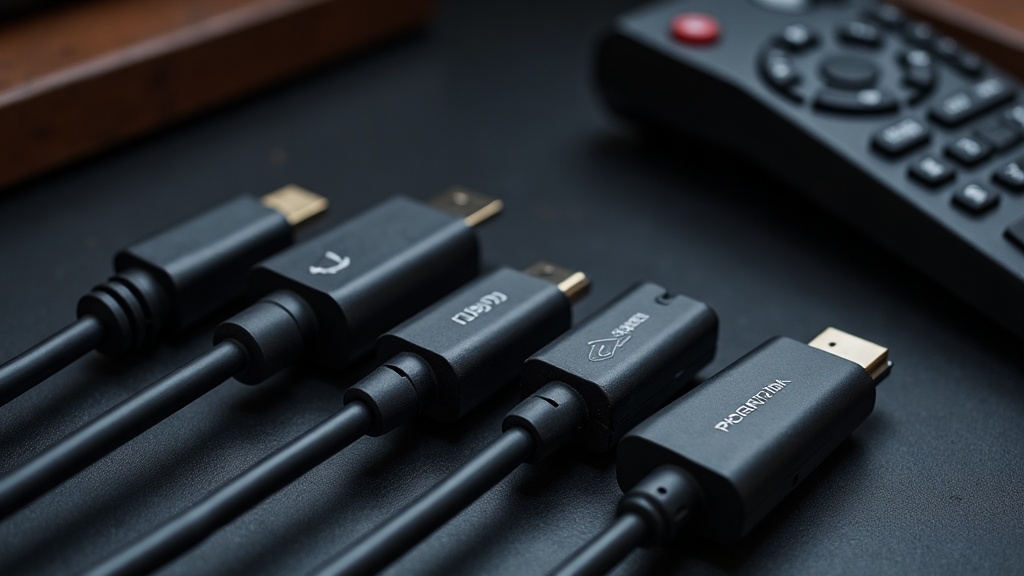
Generally, yes, though the cable itself is arguably the least confusing part of this whole topic. Cables certified as “Ultra High Speed HDMI” are built to reliably carry the higher bandwidth HDMI 2.1 features need; older “High Speed” or “Premium High Speed” cables were designed for older, lower-bandwidth standards and may not carry a full HDMI 2.1 signal reliably over longer lengths.
In many cases, the cable that ships in the box with a current-generation console is already built for this. Problems tend to show up more with older cables that were kept from a previous console or TV setup, or with longer runs bought before Ultra High Speed cables became common. If a display supports HDMI 2.1 features but they don’t seem to be working, a cheap, unrated, or very old cable is one of the first things worth ruling out before assuming the TV or console is at fault.
§05Do I actually need HDMI 2.1 to enjoy gaming?
No. HDMI 2.1 features are enhancements to how smooth and responsive a game feels, not requirements to play it. Plenty of great gaming experiences happen over older HDMI connections; HDMI 2.1 mainly benefits people chasing higher refresh rates or variable refresh rate smoothness.
Whether it’s worth prioritising depends heavily on what someone is playing and how they play it. Someone who mostly plays slower-paced, story-driven, or turn-based games is unlikely to notice much difference from variable refresh rate or higher refresh signalling. Someone who plays fast-paced action or competitive multiplayer games, and who has hardware capable of pushing frame rates that vary or spike, is much more likely to feel the benefit of VRR specifically.
It’s also worth remembering that HDMI 2.1 is one piece of a larger picture-quality puzzle. A TV’s panel quality, upscaling, and processing all shape how a game actually looks day to day, arguably more than the HDMI version does. For readers weighing up a new television purely for gaming purposes, our guide on whether you need a 4K TV for a modern console covers that broader decision in more depth.
§06Does HDMI 2.1 affect load times or storage?
No. HDMI 2.1 only affects how the video and audio signal travels from the console or PC to the display — it has no effect on how quickly a game loads or how much storage it needs. Those are separate topics governed by entirely different hardware.
Loading speed is mostly down to the storage drive inside (or attached to) the console, which is covered in detail in our explainer on what an SSD actually changes about game loading. Storage capacity questions, meanwhile, are a matter of how much game data a player expects to keep installed at once, which our guide on how much console storage you actually need walks through. Neither of those has anything to do with which HDMI version a TV supports.
§07Is HDMI 2.1 only relevant to new consoles?
Mostly, yes. HDMI 2.1 features are most relevant to current-generation consoles and modern gaming PCs, since older consoles were not built to output the resolutions and refresh rates that make HDMI 2.1’s extra bandwidth useful in the first place.
An older console plugged into a shiny new HDMI 2.1 TV will not suddenly gain variable refresh rate or higher frame rates it was never designed to output — the limitation sits with the console’s own hardware, not the cable or the TV. This is one of the reasons HDMI 2.1 gets bundled into broader conversations about generational leaps; our piece on console generation versus console refresh is a useful companion read for anyone trying to work out whether a “new” console or TV purchase is actually delivering a meaningful upgrade, or just a minor refresh dressed up in new marketing language.
§08Is it worth upgrading just for HDMI 2.1?
Rarely on its own. Upgrading a TV or cable purely to gain HDMI 2.1 features usually only makes sense if the console or PC being used can actually take advantage of them. Otherwise, the money is generally better spent on a TV upgrade justified by picture quality as a whole.
A sensible way to think about it:
- If shopping for a new TV anyway and gaming is a priority, checking for genuine HDMI 2.1 support (and confirming which ports carry it) is a reasonable line item to add to the checklist.
- If the current TV works fine and the console or PC being used doesn’t push refresh rates high enough to benefit from VRR, there’s little reason to rush an upgrade purely for this reason.
- If experiencing visible stutter or tearing during fast-paced games, checking whether both the console/PC and the TV support VRR — and whether it’s enabled — is worth doing before assuming new hardware is needed.
For readers weighing up a wider hardware purchase, our buying advice section and consoles and hardware hub cover related decisions, from TVs to storage to console picks, in more depth than any single HDMI explainer can.
§09The bottom line
HDMI 2.1 is a genuine, useful upgrade for gaming, but it is a feature set rather than a magic label, and its benefits only show up when the console or PC, the TV, and the cable all actually support the same specific features. Checking those details carefully is far more useful than trusting a logo on a box.