Cloud gaming runs a game on a powerful computer in a data center, then sends the video and audio to your device over the internet. Your controller inputs travel the other way. Nothing runs on your local hardware. The game itself never touches your console, phone, or laptop.
That sounds simple. In practice, it means every single button press has to survive a round trip across the internet before you see the result. That round trip is where cloud gaming lives or dies. This article covers the basics, but it spends most of its time on the part other explainers skip: exactly where the delay comes from, in stages, and which games can absorb it.
§01How does cloud gaming actually work, step by step?
A remote server runs the actual game, captures each frame, compresses it into a video stream, and sends it to your device. Your device decompresses that stream and displays it. Your inputs are sent back to the server the same way, in reverse.
Think of it like a video call with a computer that happens to be playing a game for you. The server does the heavy lifting. Your device just needs to:
- Receive a compressed video stream and decode it in real time
- Capture your controller or keyboard inputs and send them upstream
- Run a lightweight app or browser tab that manages the connection
This is why cloud gaming can put demanding games on cheap hardware. A budget laptop or an older phone can display the stream just fine. It doesn’t need to render anything itself.
§02Where does the added delay actually come from?
Added delay, often called latency, is not one single thing. It builds up across several stages between your button press and the pixel changing on screen. Each stage adds a little. Together they decide whether a game feels responsive or floaty.
Here is a rough breakdown of where that time goes. These are general engineering ranges, not measured lab results for any specific service, and they shift with distance, connection quality, and hardware on both ends.
| Stage | What happens | Rough added time |
|---|---|---|
| Network transit, input to server | Your button press travels from your device to the data center | roughly 5-25 ms on a good connection |
| Server-side processing and encode | The game engine advances a frame, then that frame is compressed into video | roughly 10-20 ms |
| Network transit, video back | The compressed video travels back to your device | roughly 5-25 ms |
| Client decode | Your device decompresses the video stream | roughly 5-15 ms |
| Display buffering | The frame waits for your screen’s next refresh cycle | roughly 0-16 ms, depending on refresh rate |
Add those up and a well-run cloud gaming session typically lands somewhere in the range of 40 to 80 milliseconds of added input lag, on top of whatever delay a locally installed game would already have. Distance to the server matters more than almost anything else here. A data center a few states away behaves very differently from one on another continent.
None of this is unique to cloud gaming, by the way. Every game has some input lag baked in, from the controller itself to the display. Cloud gaming just adds a whole extra layer on top. For more on that baseline, see our guide on what input lag is and how to reduce it.
§03Which games handle cloud gaming’s delay fine, and which don’t?
Genre matters more than almost any technical setting. Some games are built around split-second reactions. Others are built around planning and patience. That difference decides whether 40 to 80 extra milliseconds is invisible or ruinous.
Games that generally tolerate the added lag well:
- Story-driven single-player games and adventure titles
- Turn-based strategy and tactics games
- Most role-playing games, especially slower-paced ones
- Puzzle games and narrative games
- Racing games at a casual pace, though tight competitive racing is more sensitive
Games where that same delay is genuinely a problem:
- Competitive first-person shooters, where a fraction of a second decides a duel
- Fighting games, where frame-perfect timing is the entire skill system
- Rhythm games, where the whole point is hitting a beat within a narrow window
- Fast platformers that demand precise, immediate jumps
Here’s the simple rule. If a game asks you to react to something the instant it appears, cloud gaming’s extra delay works against you. If a game gives you a moment to think, that same delay barely registers. A single-player role-playing game rarely punishes a slightly late input. A ranked shooter match often does.
This isn’t a knock on cloud gaming as a technology. It’s just physics and compression doing what they do. Fighting games and rhythm games in particular are demanding because they’re built around tight timing windows measured in fractions of a second, and no amount of server power removes the trip across the internet.
§04What are the main cloud gaming services people actually use?
A handful of services dominate this space, and they take slightly different approaches. Some let you stream games you already own. Others bundle a library into a subscription, closer to how a streaming video service works.
- Nvidia GeForce Now streams games you already own from your existing PC storefronts, running them on Nvidia’s own servers.
- Xbox Cloud Gaming is bundled into Xbox’s subscription tier, streaming a rotating library rather than individual purchases. Our piece on whether game subscription services are actually good value covers how that bundle compares to buying outright.
- PlayStation Plus Premium offers cloud streaming for a portion of its catalog, including a stretch of older PlayStation titles that would otherwise require original hardware.
- Amazon Luna runs on a similar subscription-channel model, with its library organized into separate add-on packs.
Each of these depends on data centers being reasonably close to where you actually live. Coverage is uneven. A service can feel excellent in one region and mediocre in another, purely because of where the nearest server sits.
§05What do you actually need to try cloud gaming?
You need a stable internet connection, a device that can run the app or browser, and realistic expectations about your distance from a server. That’s really it. No powerful console or gaming PC required.
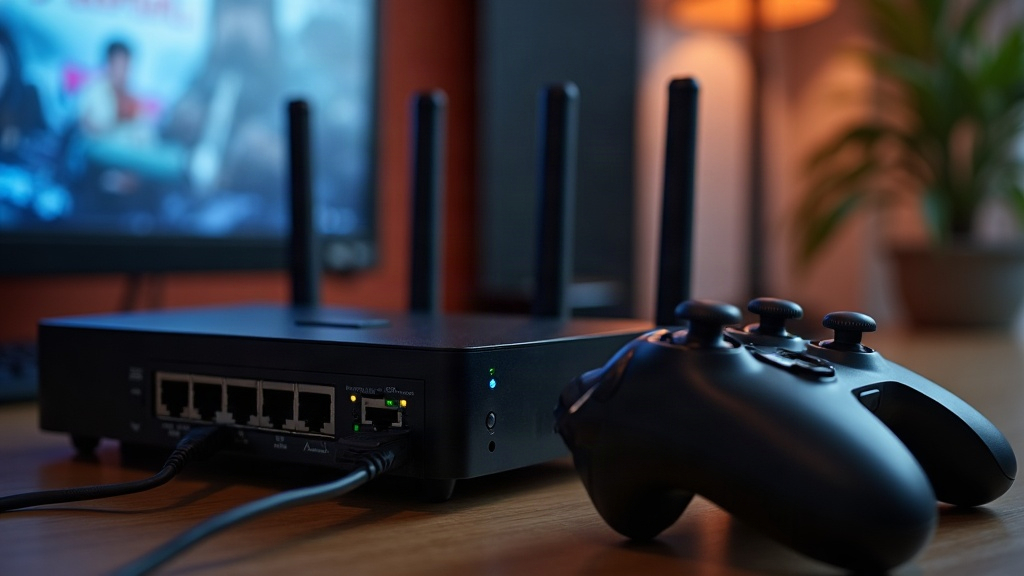
A wired connection helps far more than most people expect. Wi-Fi introduces its own small delays and occasional dropped packets, and both show up as stutters or blur in the video stream. Plugging a streaming device or PC directly into the router with an ethernet cable removes a whole layer of uncertainty. For setups built specifically around this kind of connection, our PC gaming and setup archive has more detail on wiring a room properly.
Beyond the connection itself, a few other things shape the experience:
- A TV or monitor with low internal processing delay, since some displays add their own lag on top of everything else — see our explainer on what HDMI 2.1 does and doesn’t change for gaming
- A wired controller or one with a stable, low-latency wireless connection
- Realistic data usage expectations, since streaming video, even game video, adds up over a month
None of this requires expert-level setup. It mostly means treating your internet connection with the same seriousness you’d treat a graphics card.
§06Is cloud gaming going to replace consoles and gaming PCs?
Not for everyone, and not soon. Cloud gaming is genuinely useful for casual play, travel, and trying games without buying hardware. But local hardware still wins for competitive play, for anyone without strong, stable internet, and for anyone who wants to own their games outright rather than rent access to a server.
The two models are likely to coexist rather than one replacing the other. Consoles and gaming PCs offer ownership, predictable performance, and a growing library of games designed to work offline. Cloud services offer convenience and low upfront cost, closer in spirit to how music and video streaming reshaped those industries. If you’re weighing local hardware against a streaming subscription for the first time, our hardware buying guide and our overview of how online play became the default both give useful context on how the industry got here.
The honest way to think about it: cloud gaming removes the hardware barrier, but it never removes the network barrier. For slower games, that trade is an easy win. For anything built around split-second timing, it’s a trade worth thinking through before subscribing.