A good first game for a young player is simple to control, forgiving when they fail, and short on things that can go wrong emotionally or financially — no scary surprises, no online strangers, no way to accidentally spend real money. Beyond that, it should just be fun to look at and fun to touch.
§01What actually makes a game good for a first-time young player?
The best first games ask very little of the player before they get a reward. That means clear visual feedback, forgiving physics, and controls that map to something a young player already understands intuitively, like “press this to jump” rather than a web of shoulder buttons and combos.
It also means low stakes. A first game shouldn’t punish curiosity. If pressing a random button or wandering off the intended path leads to instant failure, a young player learns to be cautious and frustrated rather than confident. Games built around exploration, collecting, building or simple platforming tend to work well because mistakes are recoverable.
Tone matters as much as mechanics. Bright colors, upbeat music and characters that react warmly rather than menacingly all reduce the chance of a first gaming experience turning into an anxious one. This is one reason so many recommended first games share a similar visual language even when they come from completely different studios and eras.
§02Do simple controls matter more than the genre?
Yes — control simplicity usually matters more than genre. A calm-looking game with a fussy control scheme will frustrate a young player faster than an energetic game that only needs one stick and one button, because the barrier to feeling capable is almost entirely about the controller, not the subject matter.
This is worth remembering because it’s tempting to pick a first game by theme alone — “they like animals, so this animal game must be right.” Theme matters for engagement, but control complexity determines whether the player can actually enjoy that theme without an adult doing most of the playing. Look for games where movement is a single stick, the primary action is a single button, and the camera (if there is one) mostly follows automatically rather than requiring manual adjustment.
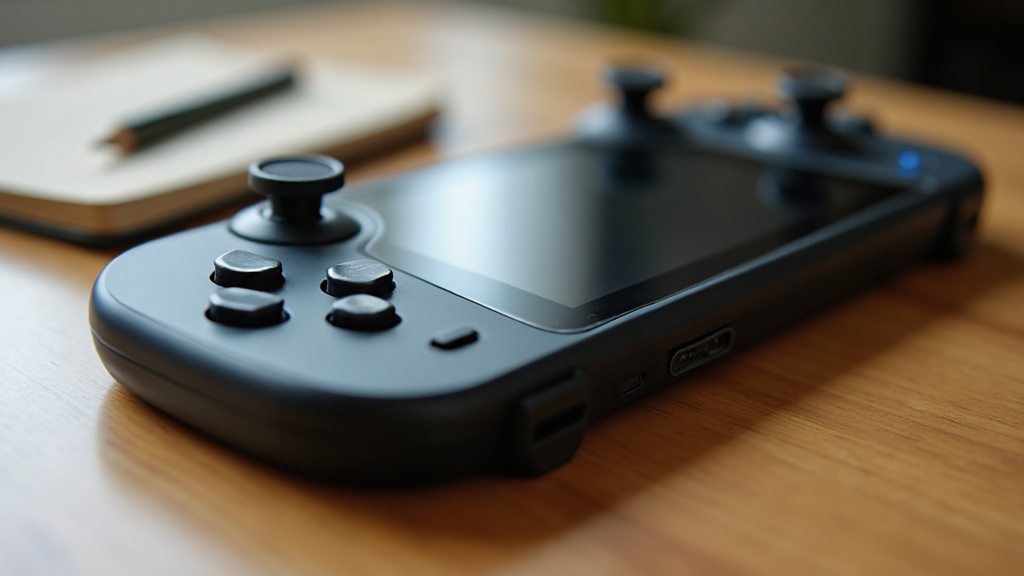
Handheld devices can help here too, since a small screen close to the player and simple button layout is often easier to parse than a large TV setup with a controller full of triggers and bumpers. The trade-offs between handheld and home console setups are worth understanding before buying dedicated hardware for a young player.
§03What about games with no failure state at all?
Games with no real “lose” condition — building games, simple simulation games, some puzzle games — are excellent first games because they remove the fear of failure entirely. The player experiments freely, and every action produces some visible result rather than a game-over screen.
Sandbox-style building games are a classic example: there is no timer, no health bar, and largely no way to be punished for trying something. This lets a young player build confidence with the controls before any game asks them to react quickly or survive a threat.
That said, a total absence of challenge isn’t required forever. Once basic controls feel natural, a small amount of gentle challenge — a puzzle that takes a few tries, a jump that requires timing — helps build the sense of accomplishment that makes games rewarding in the first place. The goal with a true first game is to introduce that challenge gradually rather than all at once.
§04Are older, classic games still good first games?
Many classic platformers and puzzle games remain excellent first games because their control schemes were built around arcade simplicity — a joystick and one or two buttons — long before games assumed players already knew complex conventions. Simplicity was a technical limitation then, but it happens to suit new players now.
The catch is presentation. Some older games ask for a level of precision or punish mistakes more harshly than modern design typically does, a pattern rooted in the way early arcade and home games were built to be difficult on purpose. It’s worth reading about why classic games were often punishingly difficult before assuming an old favorite will be gentle just because it looks simple.
Where a modern remaster or re-release exists, it often smooths over exactly this kind of friction — adjusted difficulty, clearer feedback, sometimes assistance options that didn’t exist in the original. Understanding the real differences between a remaster and the original release can help decide whether the classic version or the modern version is the better starting point for a young player.
§05Should a first game be played alone, or with a parent?
A first game is often best played together, at least at the start. A parent or older sibling handling the trickier parts, narrating what’s happening, and modeling how to react to setbacks turns the first experience into something shared rather than something a young player has to figure out alone.
Local co-op games designed for two people are particularly useful here, since many are built with an easier “second player” role in mind — one that lets a young player feel like a full participant without needing to carry the difficult parts of the game. What actually makes a co-op game work well for two people is worth reading before picking a title specifically for playing together.
This shared approach also gives an adult a natural, low-pressure way to introduce ideas about screen time, when to take breaks, and how to handle frustration — groundwork that matters more as a young player moves toward playing independently or eventually online.
§06How do age ratings help when choosing a first game?
Age ratings are a useful first filter but not a full answer — they flag content like violence, language or in-game purchases, but they don’t tell you whether the controls are easy enough or whether the tone suits a particular child. Treat the rating as a floor, not a guarantee of a good fit.
It helps to understand how these rating systems actually work before relying on them heavily, since different regions use different boards and different criteria, and a rating can miss things that matter for a very young or very sensitive player — pacing, sound design, or how frightening a “safe” game can still feel. A closer look at how to judge whether a game is genuinely appropriate for a younger player goes further than the rating sticker alone.
It’s also worth checking whether a game includes in-game purchases before handing over a device, since even games clearly marketed at children can include store menus, currencies or prompts that weren’t obvious from the packaging or the age rating.
§07What should be checked before buying a first game or console?
Before buying, check three things: the control scheme actually fits small hands, the game has a genuine “easy” or forgiving mode rather than just a lower number on a difficulty slider, and any online or purchase features can be switched off or restricted.
- Look at footage or screenshots of actual gameplay, not just marketing art, to judge pacing and difficulty.
- Check whether the console or platform has usable parental controls, since these vary a lot between systems and matter more once a young player starts branching out on their own.
- Consider whether the intended device is shared with the household or dedicated to the young player, since that affects everything from save files to purchase settings.
Reading about what parental controls can actually do on each console before buying hardware saves a lot of frustration later, since assumptions about “it must have a kid mode” don’t always hold up once the box is opened.
§08What mistakes do parents commonly make picking a first game?
The most common mistake is picking a game based on its box art or franchise reputation rather than its actual control demands and difficulty curve. A beloved franchise aimed at longtime fans is not automatically a good starting point for someone who has never held a controller.
Another common mistake is skipping the tutorial entirely because an adult already understands the controls. A first game’s tutorial is often the single biggest factor in whether a young player feels capable or lost in the first ten minutes, and it’s worth understanding what makes a video game tutorial actually work before assuming a game will explain itself.
Finally, it’s easy to underestimate how much unrelated screen time and purchase prompts can creep into an otherwise appropriate game. Setting expectations early — including a reasonable sense of how much screen time is appropriate for a young player’s age and routine — tends to matter more for long-term enjoyment than the specific title chosen for the very first session.
For more on choosing games and hardware appropriate for younger players as they grow, the Family & Younger Players section and the gaming hardware guide hub both cover the decisions that come after that first game — from consoles to controls to what to do once a young player wants to play online.