Old games look wrong on a modern television because they were designed for a completely different kind of screen. CRT televisions blended pixels together, added a soft glow, and used a shape and refresh style that modern flat panels don’t replicate. The result on a modern TV is harsh, blocky, or oddly proportioned images the original artists never saw.
§01What actually changed between old TVs and new TVs?
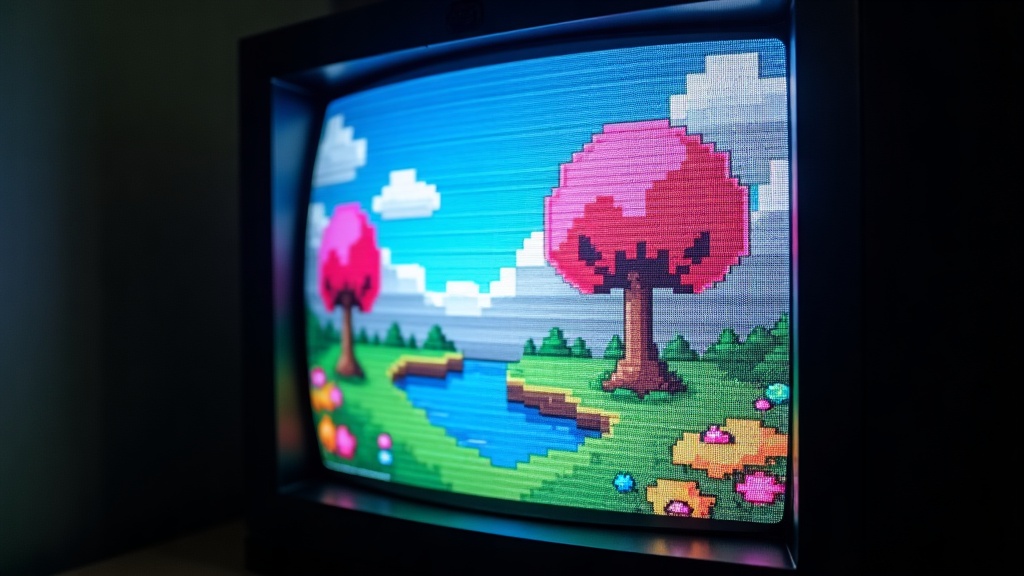
The core change is the display technology itself. Old televisions used a cathode ray tube (CRT), which fired electron beams at a glowing phosphor screen line by line. Modern televisions use flat panels made of millions of individually lit or backlit pixels arranged in a fixed grid.
Those are fundamentally different ways of building a picture, and a lot of what “looked right” about old games depended on quirks specific to CRT technology. When you take a signal designed around those quirks and feed it into a flat panel, several things break at once rather than just one.
- CRTs did not have a fixed pixel grid, so an image could be soft and slightly blended without ever looking “blocky.”
- CRTs redrew the image using scanning electron beams, which created faint horizontal lines and a particular kind of motion blur.
- CRTs were typically a specific aspect ratio, and non-square pixels on some systems were stretched or compressed to look correct only on that shape of screen.
Readers interested in the bigger hardware picture behind this shift can find more detail in our gaming hardware guide, which covers how consoles, PCs and displays have evolved over time.
§02Why do the pixels look so blocky now?
Pixels look blocky on a modern screen because flat panels display each pixel as a sharp, distinct square, while CRTs naturally blurred and blended adjacent pixels together. That blending was part of the intended look, not a flaw being hidden.
Artists working on older consoles knew their images would be softened by the display itself. They used that softening the way a painter might rely on a slightly textured canvas — dithering patterns, careful color choices, and fine detail were built with the assumption that the screen would smooth things out.
Put that same image on a modern flat panel and every pixel boundary becomes a hard, visible edge. Gradients that once looked smooth turn into visible bands or checkerboard patterns. None of the original data has changed — the display method revealing it has.
§03Why does everything look stretched or squashed?
Older games often look stretched or squashed on modern TVs because many older systems used non-square pixels designed to be corrected by the CRT’s aspect ratio and scanning behavior. Modern displays and emulators frequently show those pixels at their raw, uncorrected shape instead.
Several classic systems didn’t store their graphics in a 1:1 pixel format. The console assumed the television would stretch the image slightly during display. When that correction step is skipped — which happens with plenty of default emulator and upscaler settings — characters and objects can look a little taller, wider, or off-model compared to how anyone actually saw them at the time.
This is one of the more contested areas among preservation-minded players: some argue the “corrected” aspect ratio is the authentic look, others prefer the raw pixel image because it’s sharper and easier to read. Both positions have a real basis, and the right answer depends on whether the goal is accuracy or clarity.
§04Why does motion look different — smoother or juddery?
Motion looks different because CRTs refreshed the image in a way that created natural motion blur, while modern flat panels hold each frame steady until the next one arrives. This can make old games look either strangely smooth or noticeably choppier, depending on the content and the display’s processing.
CRTs never really held a static frame — the picture was constantly being redrawn by a moving beam, which our eyes perceived as continuous motion with an inherent softness. Flat panels display a frame, hold it, then jump to the next one. Some modern TVs add their own motion smoothing or interpolation on top of that, which can make old games look artificially fluid in a way that feels unfamiliar, almost like slow motion or a video effect rather than the original game.
Readers who want to understand how frame delivery affects the feel of a game more broadly can look at our explanation of why frame rate matters more than resolution, which covers similar ground from a modern hardware angle.
§05Why do colors look off on a modern screen?
Colors often look off because CRTs and modern displays handle color, brightness and contrast differently, and older consoles were frequently calibrated with a specific CRT’s color response in mind. Modern TVs also apply their own processing, which can shift colors further from what the original artists intended.
Many older games were tuned on a specific set of consumer television sets common at the time, with a certain warmth and contrast built into the picture by default. Modern TVs, especially ones set to a bright, punchy “vivid” style picture mode out of the box, tend to boost contrast and saturation well beyond what CRTs produced. That can make old games look either washed out or oversaturated, depending on the title and the TV’s settings.
Some of this can be improved by adjusting picture settings on the television itself, which is one of the more practical steps covered in guides to modern displays. Our piece on is an ultrawide monitor good for gaming and our explainer on what upscaling actually does both touch on how display processing changes what a game looks like before a single pixel of the original artwork is considered.
§06Does connecting through an emulator or modern console fix this?
Emulators and modern re-releases can fix some of these issues, but not automatically. Many emulators include filters that recreate CRT blending, scanlines and correct aspect ratios, but they have to be turned on and tuned — the default settings usually just show the raw, unfiltered image.
This is a case where more accurate hardware access to the past doesn’t mean an accurate picture is guaranteed. Running an old game through an emulator on a modern TV, with default settings, often produces exactly the blocky, stretched look described above, because the emulator is faithfully reproducing the game’s raw output rather than the CRT’s interpretation of it.
Getting a closer-to-original look generally means:
- Enabling a scanline or CRT-style shader/filter if the emulator or device offers one.
- Setting the correct aspect ratio for the specific console rather than a generic widescreen stretch.
- Turning off the TV’s motion smoothing and sharpening features for retro content.
For readers who want the deeper technical picture of how emulation actually reconstructs old hardware behavior, our article on what emulation is and how it actually works goes further into this. The broader challenges of keeping old games playable and looking right are also covered in why preserving old video games is so difficult.
§07Is it worth buying a CRT just to play old games “properly”?
It’s worth it for some players and not for others. A working CRT genuinely reproduces the intended look of older games more closely than any flat panel, but it comes with real downsides: bulk, weight, fewer inputs, and a shrinking supply of working, well-maintained units.
For collectors and purists chasing the exact original presentation, a good CRT remains the most accurate option available, and there’s a real hobbyist community built around finding, testing and maintaining them. For most players, though, a modern TV with the right settings — or a well-configured emulator with CRT-style filtering — gets close enough for regular play, without the practical headaches of hunting down old CRT hardware in usable condition.
Anyone deciding between chasing original hardware and using modern alternatives may also find our guide to what remasters and remakes actually change for buyers useful, since many “definitive” re-releases already bake in some CRT-style visual correction as an option.
§08What’s the simplest way to make old games look better on a modern TV?
The simplest fix is adjusting a few settings rather than buying new hardware: correct the aspect ratio, disable motion smoothing and heavy sharpening on the TV, and enable a CRT or scanline filter if the console, emulator or mini-console offers one.
None of these steps require deep technical knowledge, and most modern TVs include a picture mode intended for movies or games that already turns off the more aggressive processing. Combined with the right aspect ratio and an optional CRT-style filter, this closes most of the gap between how old games look by default and how they were actually meant to be seen.
Those exploring this topic as part of a wider interest in gaming history and hardware evolution can browse more in our Retro & Preservation section and our broader history and preservation hub, both of which cover how the games people grew up with have aged, and what it takes to keep them looking and playing the way they originally did.